Platform Overview
Propeller has two parts, the Sales Hub and the Backoffice. They are the two groups in the menu. This page says what each menu section is for and which page of the Help Center describes it.
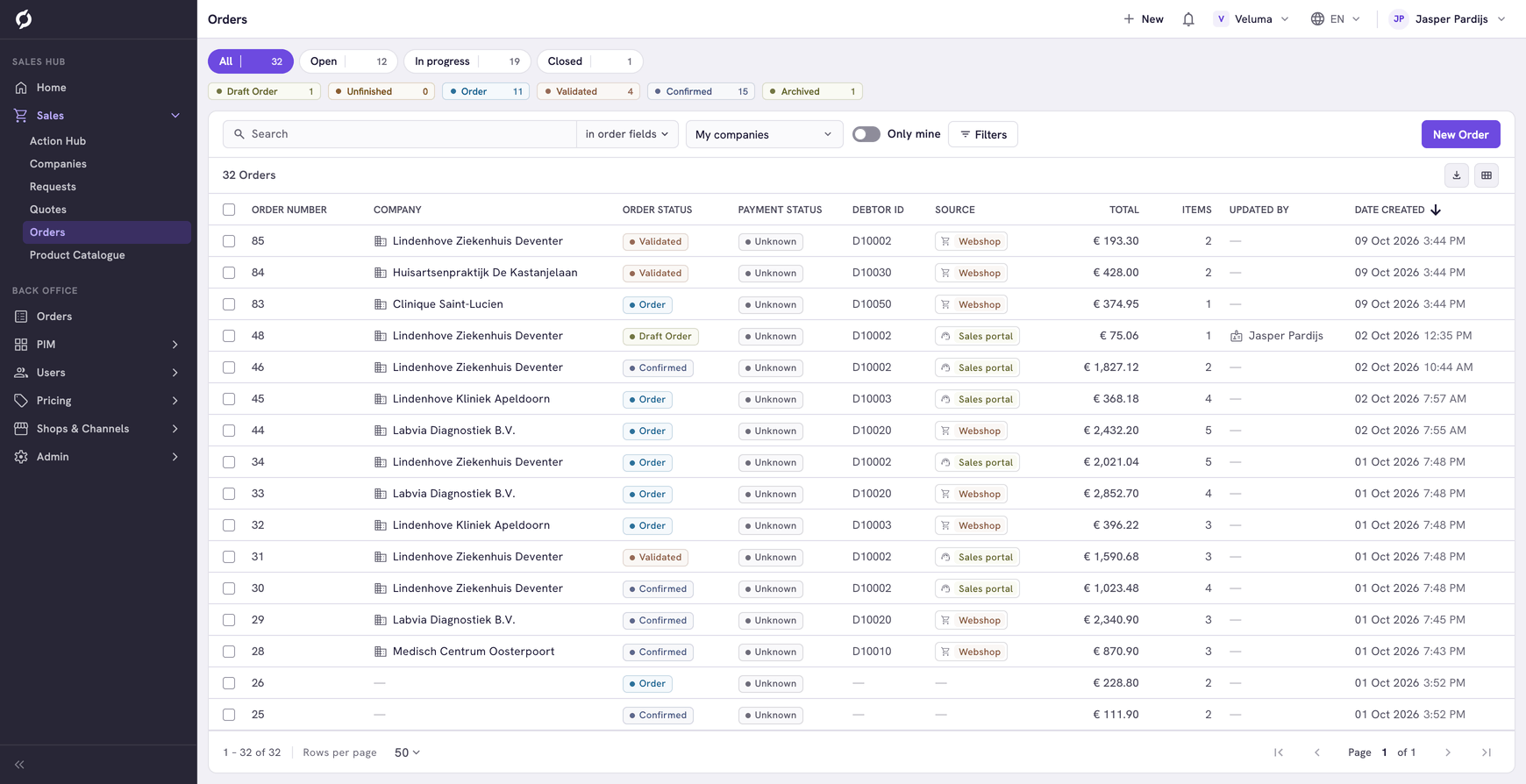
The menu spells the second group Back Office. This Help Center writes Backoffice and files its pages under Commerce Hub. All three mean the same part of Propeller.
Sales Hub
The Sales Hub is where sales reps work with customers.
| In the menu | What you do there | Page |
|---|---|---|
| Home | See what is waiting for you | Use the Home page |
| Sales > Action Hub | Pick up the actions that workflows and AI agents prepared for you | Action Hub |
| Sales > Companies | Find a customer with its contacts, quotes and orders | Companies |
| Sales > Requests | Answer quote requests | Requests |
| Sales > Quotes | Create quotes and follow them up | Quotes |
| Sales > Orders | Create orders and follow them | Orders |
| Sales > Product Catalogue | See the products and prices of one customer | Product Catalogue |
New to quotes and orders? Read How requests, quotes and orders work first.
Backoffice
The Backoffice is where you set up what the Sales Hub and your webshop show.
| In the menu | What you set up there | Pages |
|---|---|---|
| Orders | Every order, with its shipments and payment status | Orders, Shipments |
| PIM | Products, their variants and the categories they sit in | Products & Clusters, Categories, Cluster Definitions |
| Users | Your customers and what they may order | Users, Favorite Lists, Order Lists, Login Tokens |
| Pricing | Customer prices, VAT and extra fees | Price Sheets, Taxes, Surcharges |
| Shops & Channels | Shipping, payment, order statuses, emails and promotions | Channels, Carriers, Warehouses, Order Statuses, Payment Methods, Templates, Event Actions, Business Rules |
| Admin | Colleagues and their roles, your own fields, imports and connections | Backoffice Users, Agents, Attributes, Valuesets, Data Import, API Keys |
You only see the sections your roles open. See Roles and permissions.
How the two parts work together
The Sales Hub shows what the Backoffice holds. A sales rep sees the right products and prices for a customer only when the products, price sheets and order lists behind them are set up in the Backoffice.
Workflows and AI agents are an optional layer on top. They prepare work for you, for example an action in the Action Hub that says which quote is about to expire. See the Agent Hub.
Related pages
- Find your way around - the menu and the top bar
- I want to… - find the page for a task
- Glossary