Register an AI agent
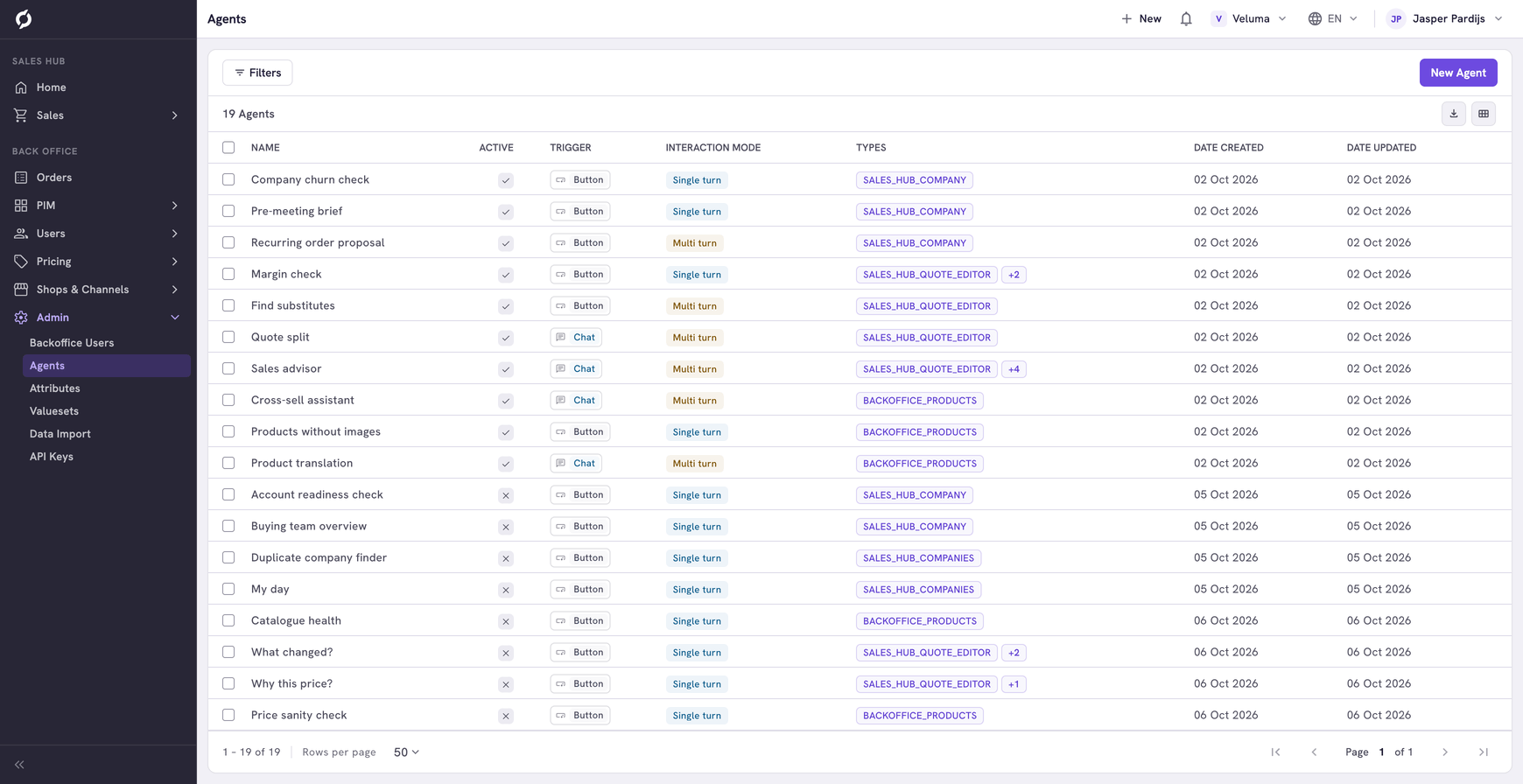
An agent puts a workflow behind the Workflows button of a page, so colleagues can start it from a quote, an order, a product or a list. On this page you register the agent: its name, where it shows and which workflow it calls.
Before you begin
- You need Backoffice access and the Configuration role. To create or delete an agent you need Owner access.
- The workflow must exist first. An agent only passes a question on to a workflow and shows the answer. The Agent Hub has examples you can install, each with the values to fill in here.
- You need the webhook URL, which is the web address of that workflow. If the workflow has a username and a password, you need those too. A technical colleague can give you these.
Register an agent
- Go to Admin > Agents and click New Agent.
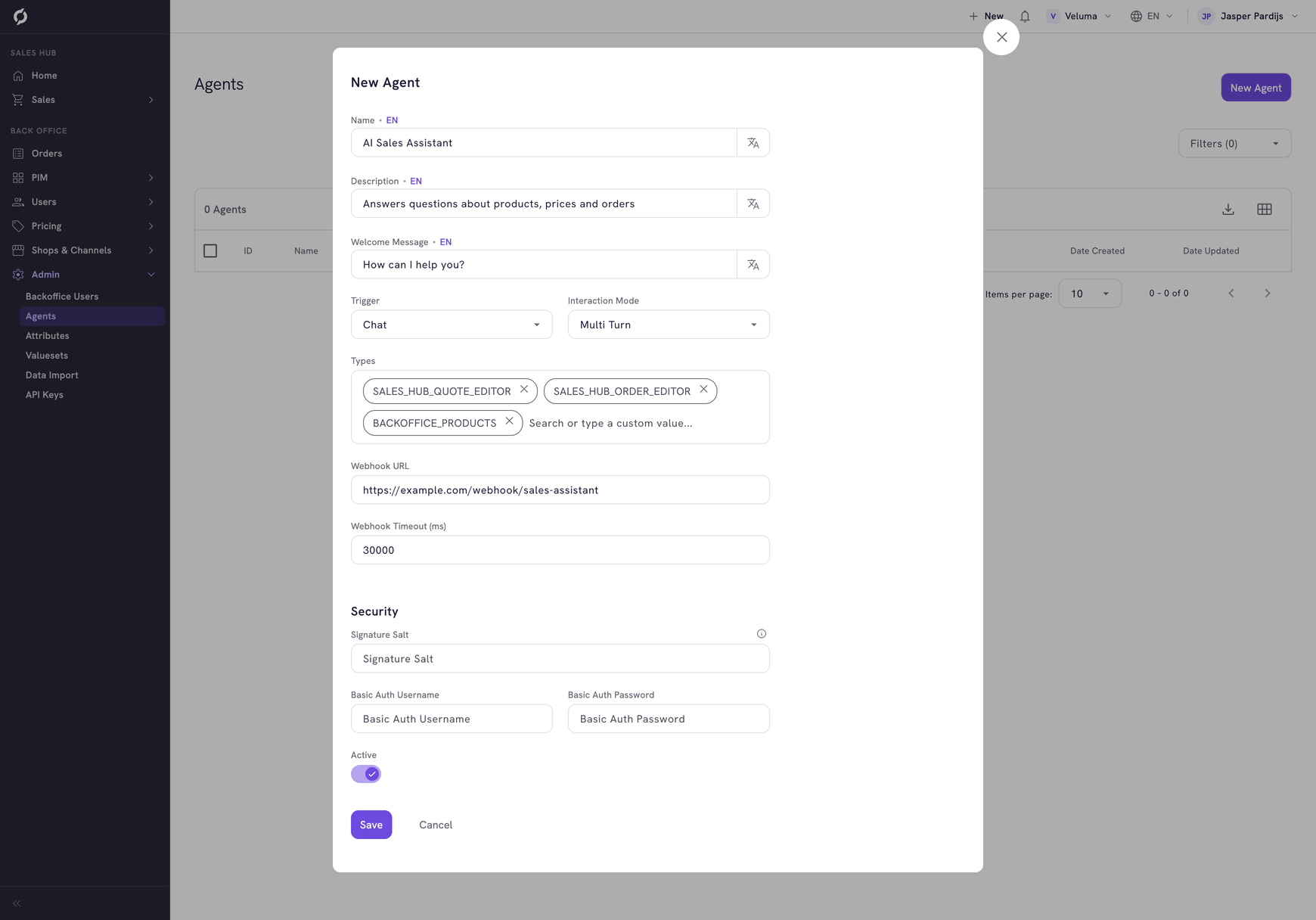
- Fill in the dialog.
- Switch Active on and click Save.
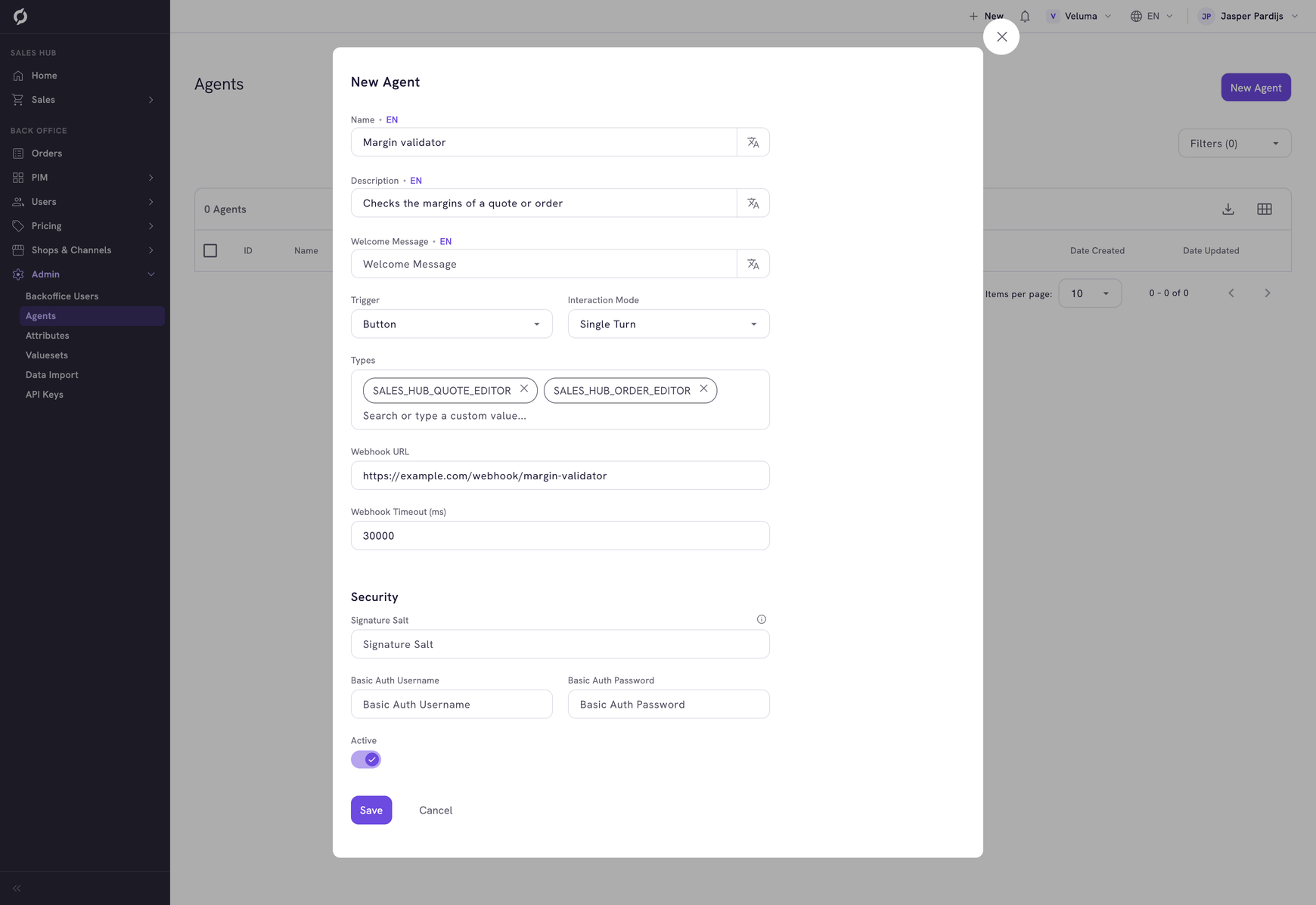
| Field | What it is | Required |
|---|---|---|
| Name | The name colleagues see in the list of agents | Yes |
| Description | What the agent does. Colleagues read it before they start the agent | No |
| Welcome Message | The first message of a chat agent | No |
| Trigger | Button: the colleague clicks a button. Chat: the colleague types a question | Yes |
| Interaction Mode | Single turn: one answer and done. Multi turn: the colleague can reply to the answer | Yes |
| Types | The pages where the agent shows. See the table below | No |
| Webhook URL | The web address of the workflow | Yes |
| Webhook Timeout (ms) | How long Propeller waits for an answer, in milliseconds. The standard is 30000, which is 30 seconds | No |
| Signature Salt, Basic Auth Username, Basic Auth Password | The security of the connection. Fill in what the workflow asks for. Username and password go together | No |
Trigger and Interaction Mode can be combined freely. A button agent with Multi turn starts with a click and then lets the colleague reply.
Choose where the agent shows
Pick one or more values under Types.
| Type | The agent shows on |
|---|---|
| SALES_HUB_QUOTE_EDITOR | A quote in the editor |
| SALES_HUB_ORDER_EDITOR | An order in the editor |
| SALES_HUB_QUOTE_REQUEST_EDITOR | A request in the editor |
| SALES_HUB_COMPANY | The page of a company in the Sales Hub |
| SALES_HUB_COMPANIES | The Companies list of the Sales Hub |
| SALES_HUB_PRODUCTS | The Product Catalogue of the Sales Hub |
| SALES_HUB_PRODUCT | A product page in the Product Catalogue |
| SALES_HUB_ACTION_HUB | The Action Hub |
| BACKOFFICE_PRODUCTS | The Products & Clusters list |
| BACKOFFICE_PRODUCT | A product in the PIM |
| BACKOFFICE_CATEGORIES | The Categories page of the PIM and each category |
| BACKOFFICE_FAVORITE_LISTS | The list of favorite lists |
| BACKOFFICE_ORDER_LISTS | The list of order lists |
| BACKOFFICE_PRICE_SHEETS | The list of price sheets |
| BACKOFFICE_BUSINESS_RULES | The list of business rules |
| BACKOFFICE_TEMPLATES | The list of templates |
| BACKOFFICE_TEMPLATE | A template |
A workflow expects the data of the page it was made for. An agent for quotes does not work on the company page. Use the types its install guide names.
Check that it works
- Open a page of the type you picked, for example a quote.
- Click Workflows at the top right. The agent stands in the list.
- Start it and read the answer.
No button on the page? Check that the agent is Active and has the right type. An error instead of an answer? Check the webhook URL, the username and the password. Check as well that the workflow is switched on.
See Use workflows and AI agents for what your colleagues see.
Change or delete an agent
Click a row to change an agent. To delete, tick the agents, click Delete and confirm. To take an agent away for now, switch Active off.
Related pages
- Agent Hub - example workflows to put behind an agent
- Build your own agent - in the developer docs, for the colleague who builds the workflow
- Use workflows and AI agents