Roles and permissions
Roles decide which pages a colleague can open and what they can do there. This page lists which role opens which menu item, so you can answer "why can I not see this page" and "which roles does a new colleague need".
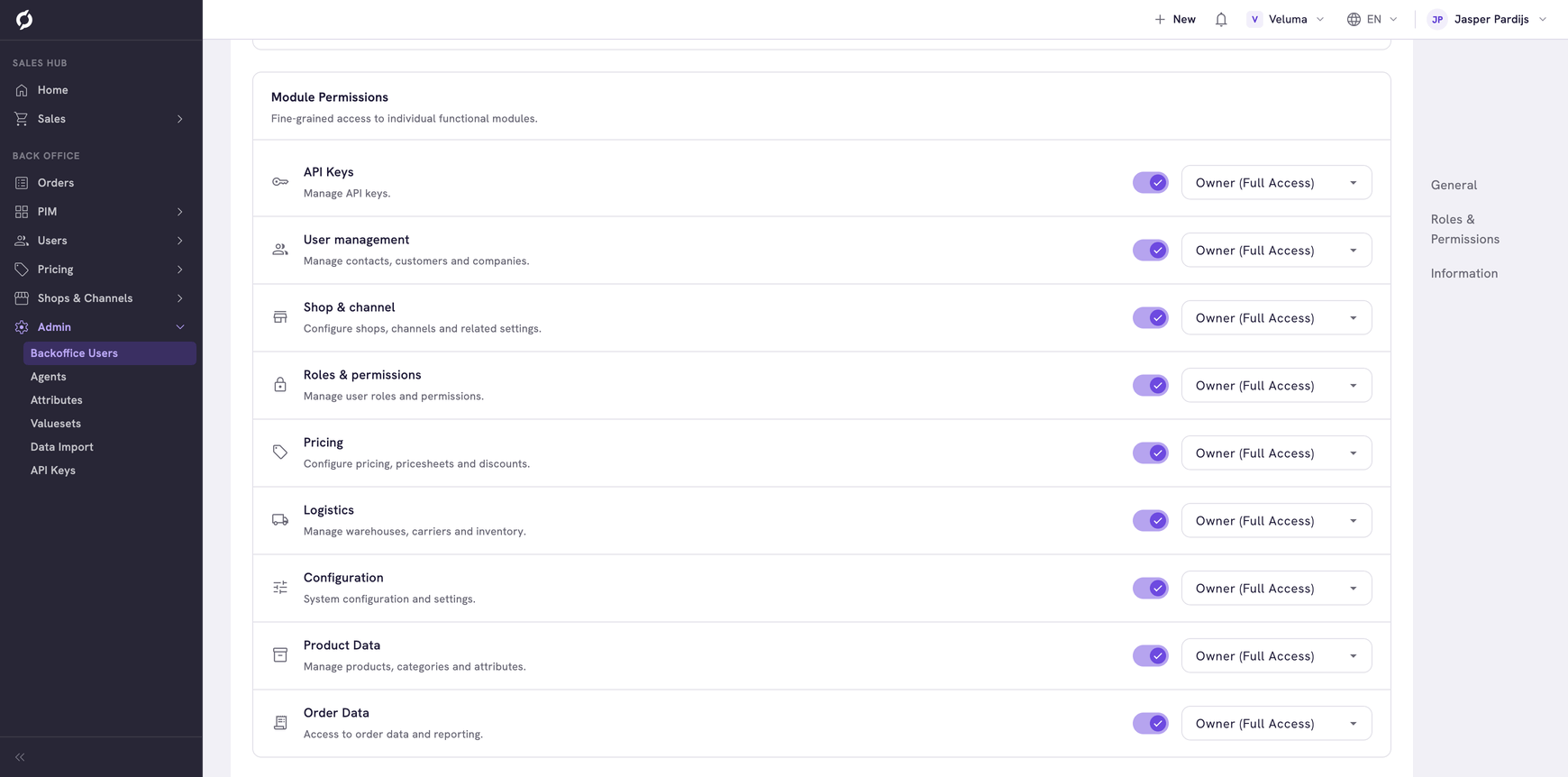
Know the two kinds of role
Platform Access opens a part of Propeller.
| Platform Access | Opens |
|---|---|
| Sales Hub | The Sales Hub part of the menu |
| Backoffice | The Back Office part of the menu. Every page there needs this role next to its module role |
Module Permissions open pages inside those parts. Each one has an access level.
| Access level | You can |
|---|---|
| Viewer | Look, and change nothing |
| Editor | Change what exists |
| Owner | Create, change and delete |
A page shows in your menu when you have its platform role and all its module roles. Without them the menu item is not there. Ask a colleague with the Roles & permissions role, usually your administrator.
Find the roles of a page
| Menu item | Platform Access | Module Permissions |
|---|---|---|
| Action Hub | Sales Hub | None |
| Companies | Sales Hub | User management |
| Requests, Quotes, Orders | Sales Hub | Order Data |
| Product Catalogue | Sales Hub | Product Data |
| Orders in the Back Office | Backoffice | Order Data |
| Products & Clusters, Categories, Cluster Definitions | Backoffice | Product Data |
| Users | Backoffice | User management |
| Favorite Lists | Backoffice | Shop & channel and Product Data |
| Order Lists | Backoffice | Shop & channel and Product Data |
| Login Tokens | Backoffice | Configuration |
| Price Sheets, Taxes, Surcharges | Backoffice | Pricing |
| Channels, Shipping Costs, Transaction Costs, Incentives | Backoffice | Configuration |
| Carriers, Warehouses | Backoffice | Logistics. The carrier rules need Configuration |
| Order Statuses | Backoffice | Order Data |
| Payment Methods | Backoffice | Shop & channel. The payment method rules need Configuration |
| Templates, Event Actions | Backoffice | Configuration |
| Backoffice Users | Backoffice | Roles & permissions |
| Agents, Attributes, Valuesets, Data Import | Backoffice | Configuration |
| API Keys | Backoffice | API Keys |
Some things need more than the role of the page.
| To do this | You also need |
|---|---|
| Start a new quote or order | Owner on Order Data and the User management role |
| Change prices on a product | Pricing |
| Create, change or delete a shipment | Editor or Owner on Order Data, in the Backoffice |
| Open the favorite lists of a contact in the Sales Hub | Shop & channel and Product Data |
| Open a product from the Sales Hub, for example with View Product in the Action Hub | Backoffice and Product Data |
Choose roles for a new colleague
| The colleague | Start with |
|---|---|
| Sells: quotes, orders, customers | The preset Sales Representative |
| Does everything | The preset Full Admin |
| Manages products | Backoffice, Product Data and Pricing |
| Manages customers and their prices | Backoffice, User management, Pricing, Shop & channel and Product Data |
| May only look | The roles of the job, each on Viewer |
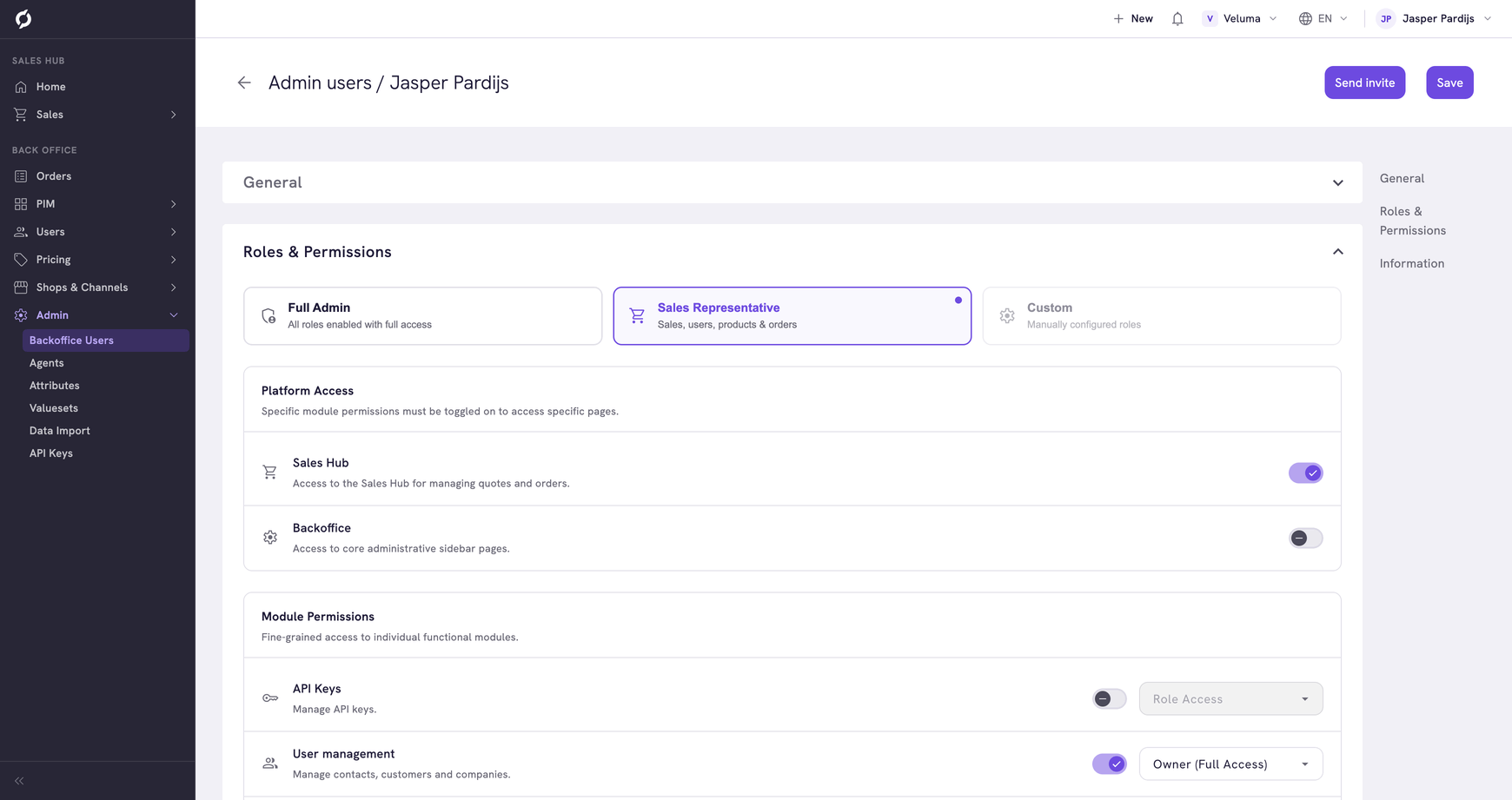
The preset Sales Representative gives Sales Hub, User management, Product Data and Order Data, with Owner access. It does not give Shop & channel or Backoffice access. So a sales rep with only the preset cannot open favorite lists or a product in the PIM. Add those roles if your sales reps need them.
See Backoffice Users for the steps.
Related pages
- Backoffice Users - give roles and check them with the Menu Access Preview
- API Keys - keys use the same roles and access levels