Import data from a file
With Data Import you add or change many records at once from a CSV file: products, prices, customers, categories, stock, attribute values and media. Use it for a price change of hundreds of products or for a new range.
Before you begin
You need Backoffice access and the Configuration role with Owner access.
Know what an import does
- It adds and changes. A row that matches an existing record changes that record. A row that matches nothing makes a new record. A product is matched on its Propeller number, the number from your own system, its SKU or its supplier code, whichever your file holds.
- It cannot be undone. There is no button to take an import back. Try a file with three rows before you import three thousand.
- It tells you what failed. After the import you see how many rows were imported and which rows had an error.
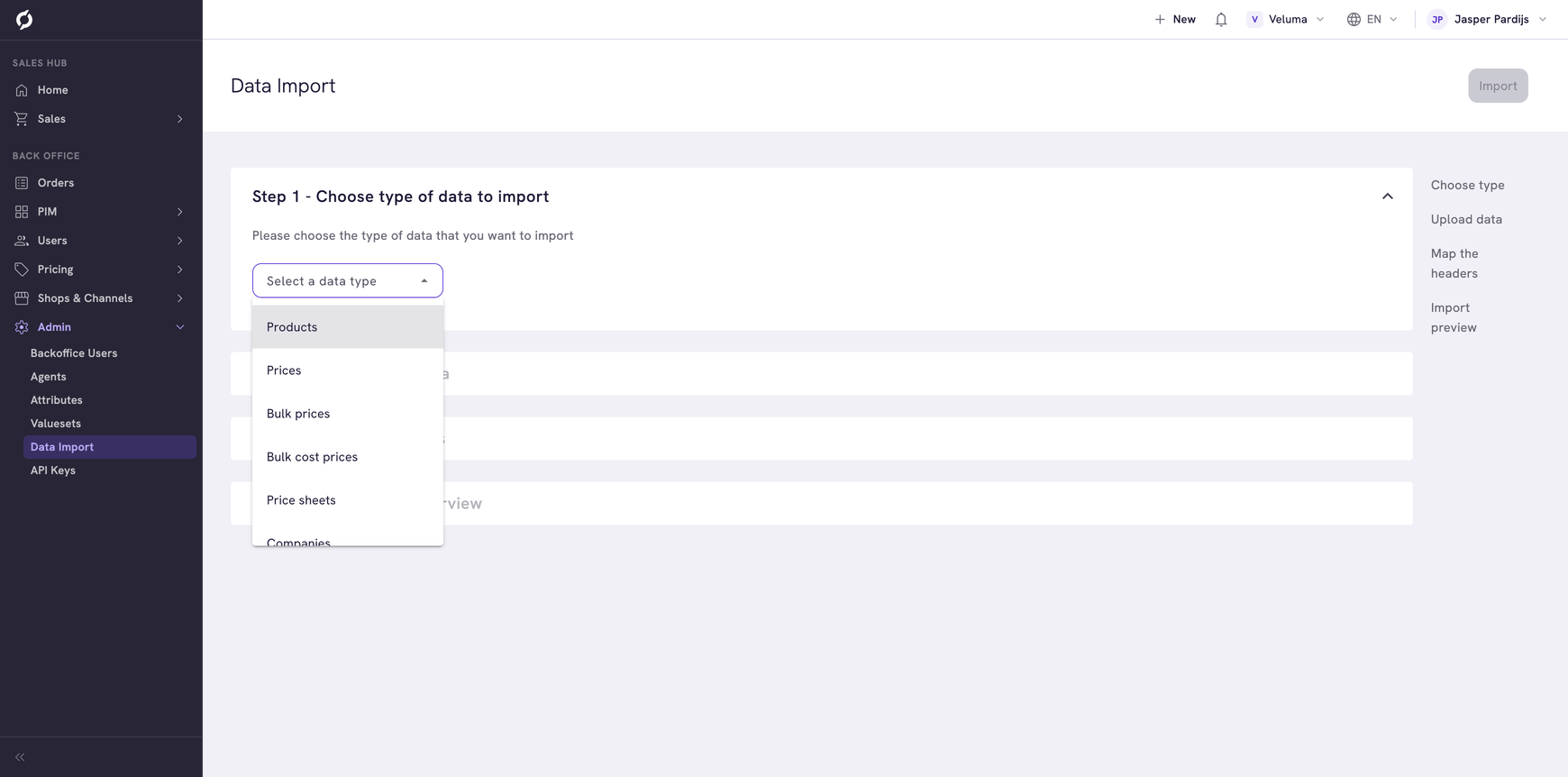
Choose the type of import
| Type | What a row holds |
|---|---|
| Products, Categories | A product or a category with its texts and codes |
| Companies, Contacts, Customers | A company, a contact or a private customer |
| Prices | The prices and the tax code of a product |
| Bulk prices | A price of a product from a certain quantity |
| Bulk cost prices | A cost price of a product from a certain quantity |
| Price sheets | A price sheet itself: its code, name and priority |
| Price sheet discounts | A discount on a price sheet |
| Inventories | The stock of a product |
| Attribute products, clusters, categories, companies, contacts, customers | The value of one of your own fields for one record |
| Attribute descriptions | The definition of a field itself. See Attributes |
| Media images, documents, videos | An image, a document or a video of a product |
Prepare the file
- Go to Admin > Data Import and choose the type under Step 1.
- Click Download an example .csv file and open it. The first row holds the column names. The second row says per column what to fill in and whether it is required.
- Fill in your rows under it and delete the two rows of explanation, as the file itself asks.
- Save the file as CSV.
Some types have two example files. Pick the one that fits the number in your file.
| Example | Use it when your file identifies a record by |
|---|---|
| The first, for example Products via product id | The number Propeller gave it, in a column such as PRODUCT_ID |
| The second, for example Products via source id | The number from your own system, for example your ERP. It goes in SOURCE_ID, with the name of that system in SOURCE_NAME |
Keep the columns separated by commas and write decimals with a point, as in the example. Dates are written as 2026-10-31T09:55:00.000Z.
Run the import
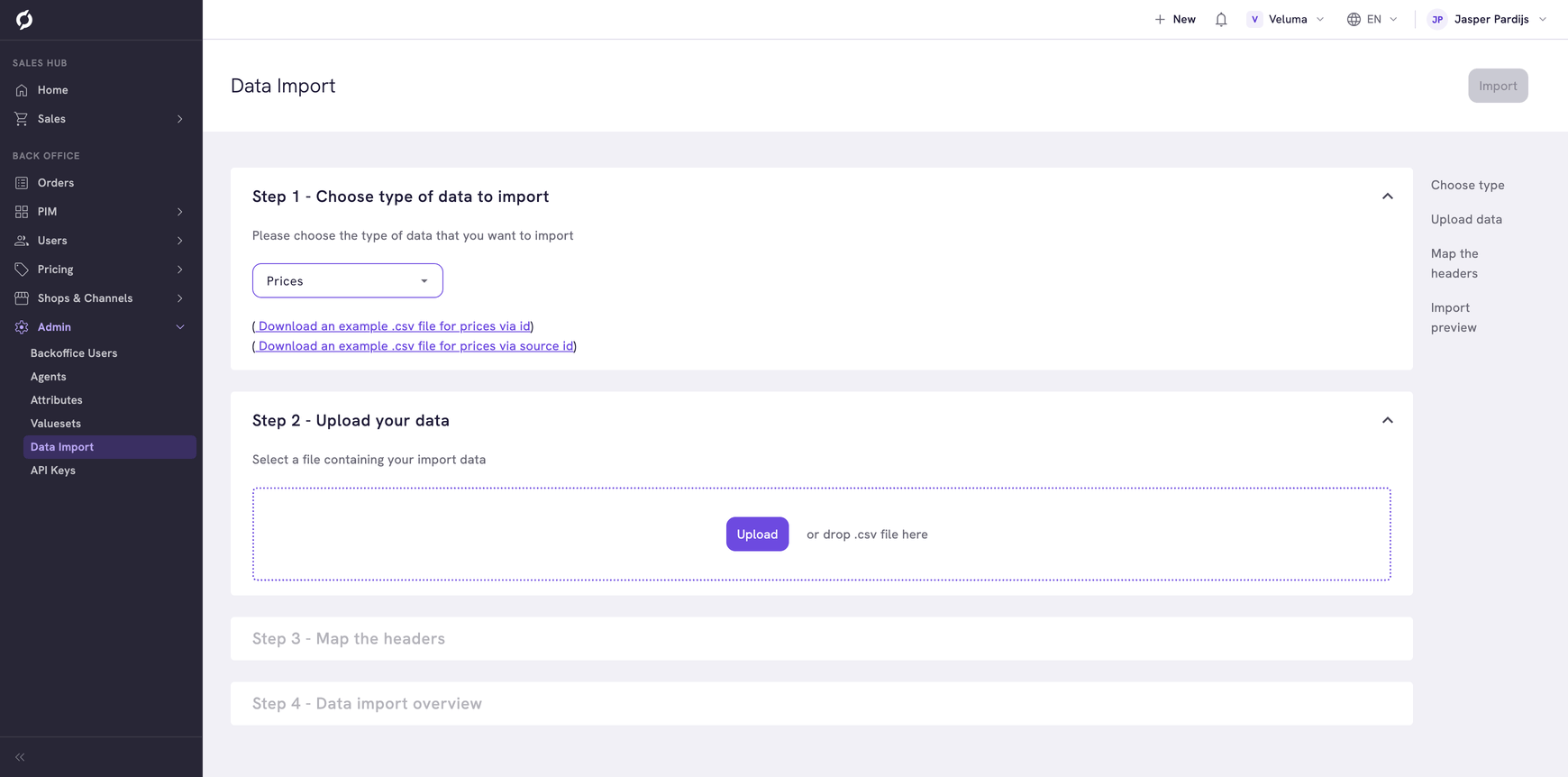
- Under Step 2, click Upload or drag the file onto the page. Only .csv files are accepted.
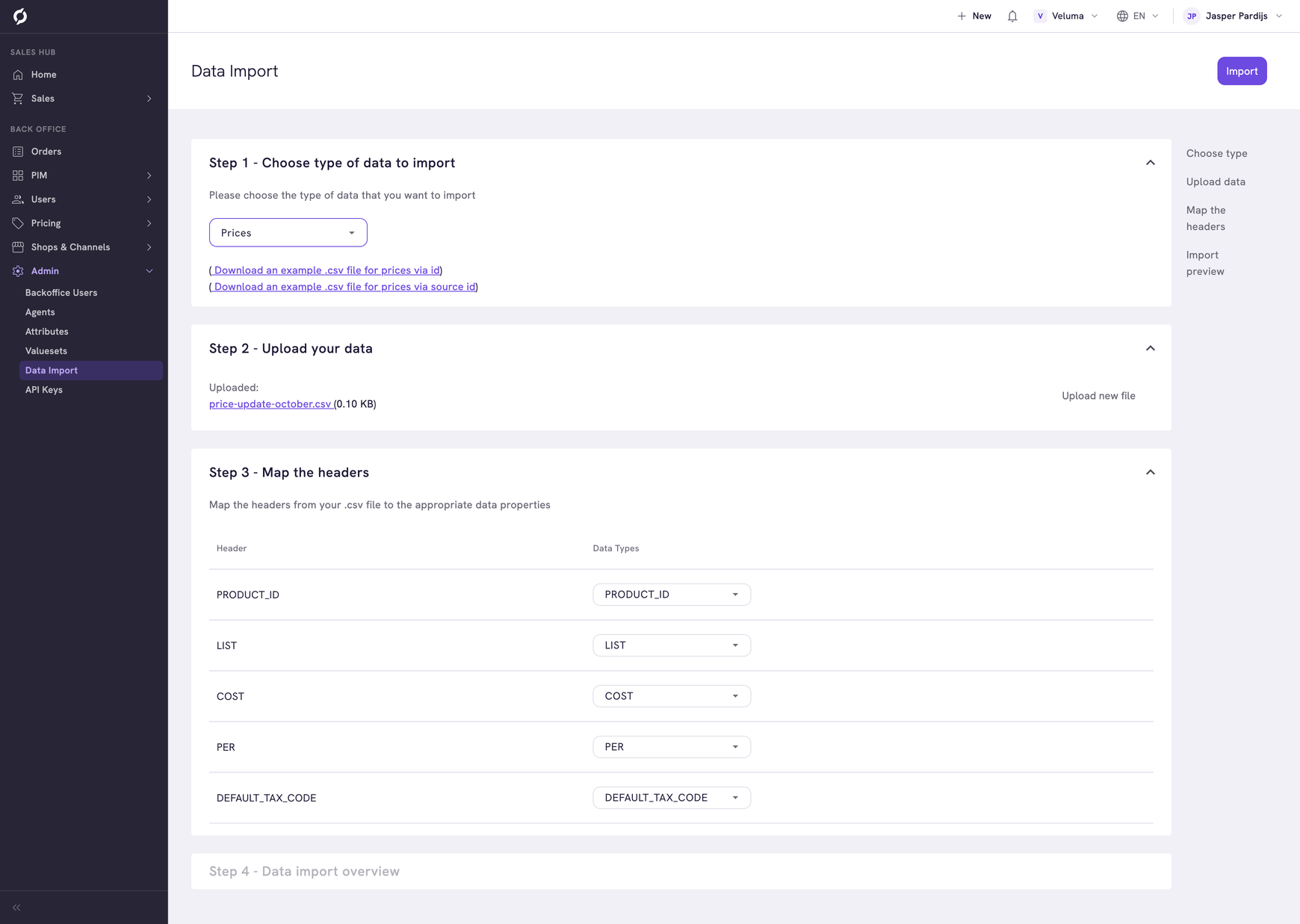
- Under Step 3, check that every column of your file is matched to the right field. Columns whose name matches a field are matched for you.
- Click Import at the top right.
Step 4 shows the result: the number of rows that were imported and the number of rows with an error.
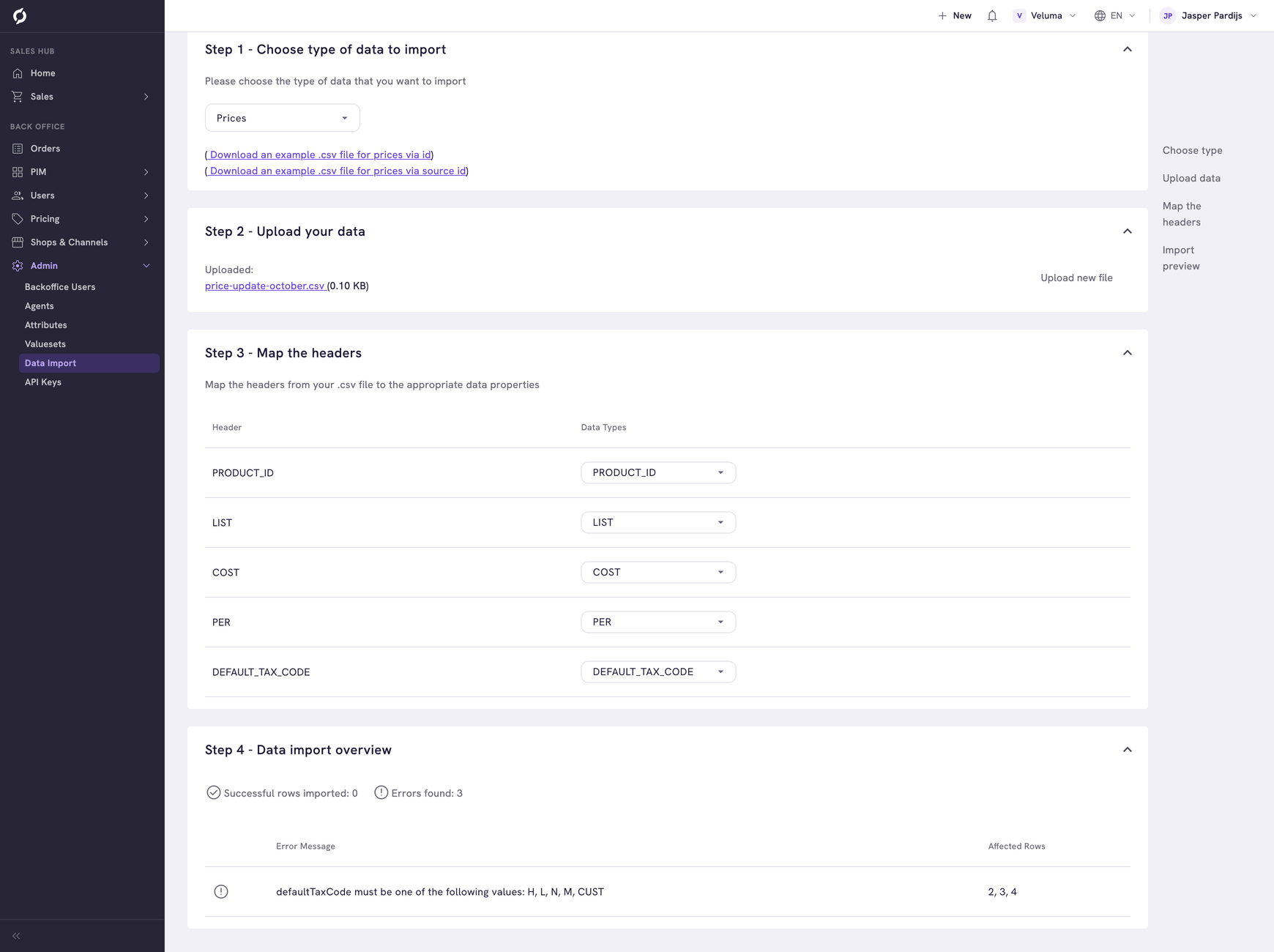
Each error has a message and the numbers of the rows it applies to. Correct those rows in your file and import them again.