Create and manage channels
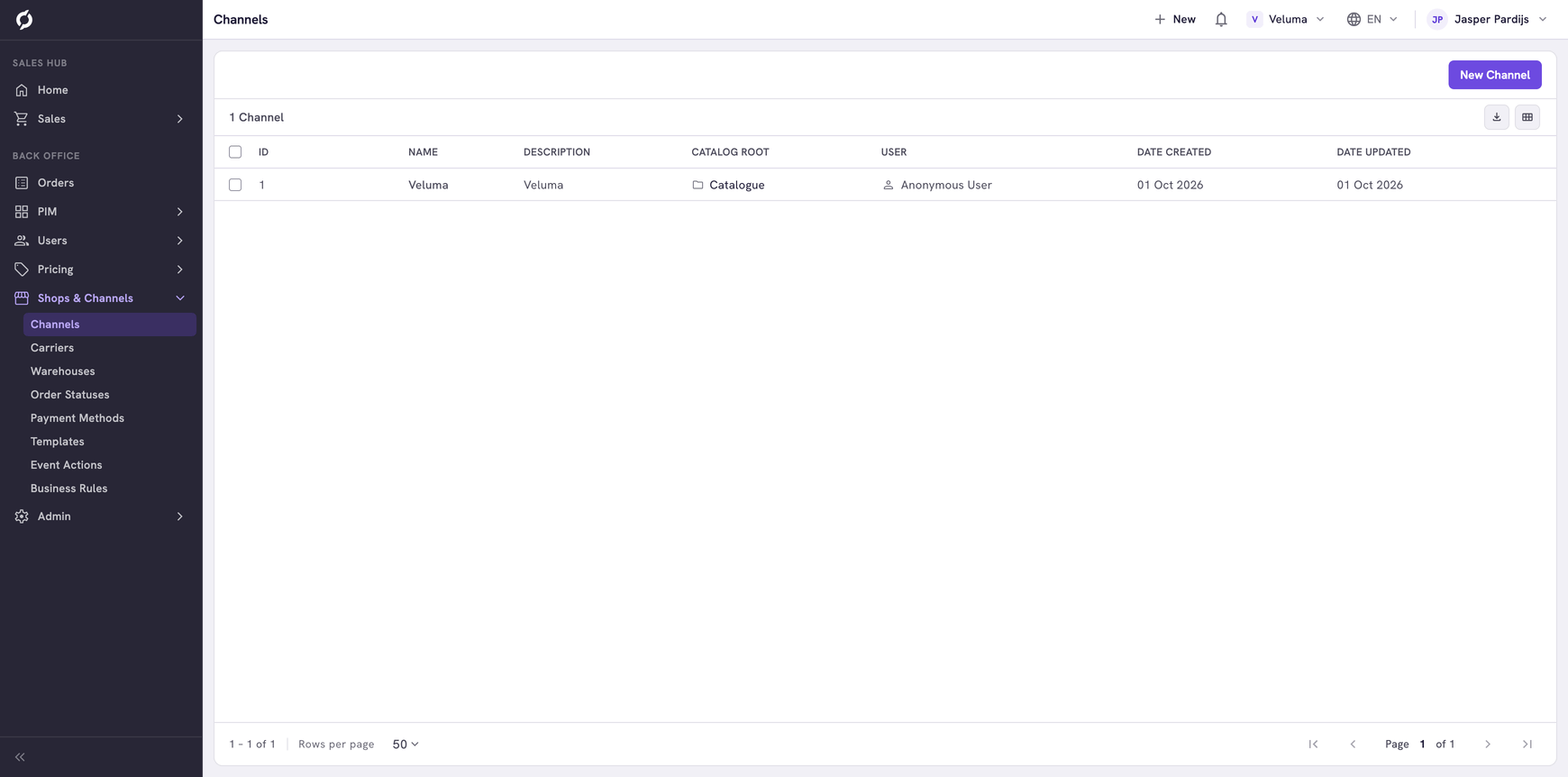
A channel is one shop or sales route of your company, for example a B2B webshop or an app. Each channel shows its own catalogue, and rules and emails can differ per channel. Most companies have one channel and never change it.
Before you begin
- You need Backoffice access and the Configuration role, with Editor or Owner access to add, change or delete a channel.
- A new channel does not make a webshop. Connecting a webshop to a channel is work for a developer.
Know what a channel changes
- The catalogue. A channel shows the category tree you pick as its Catalog Root.
- Quotes and orders. Every quote and order belongs to one channel. With more than one channel, a sales rep chooses the channel when starting a quote or an order.
- Rules and emails. A business rule and an event action can be limited to a channel.
Create a channel
- Go to Shops & Channels > Channels and click New Channel.
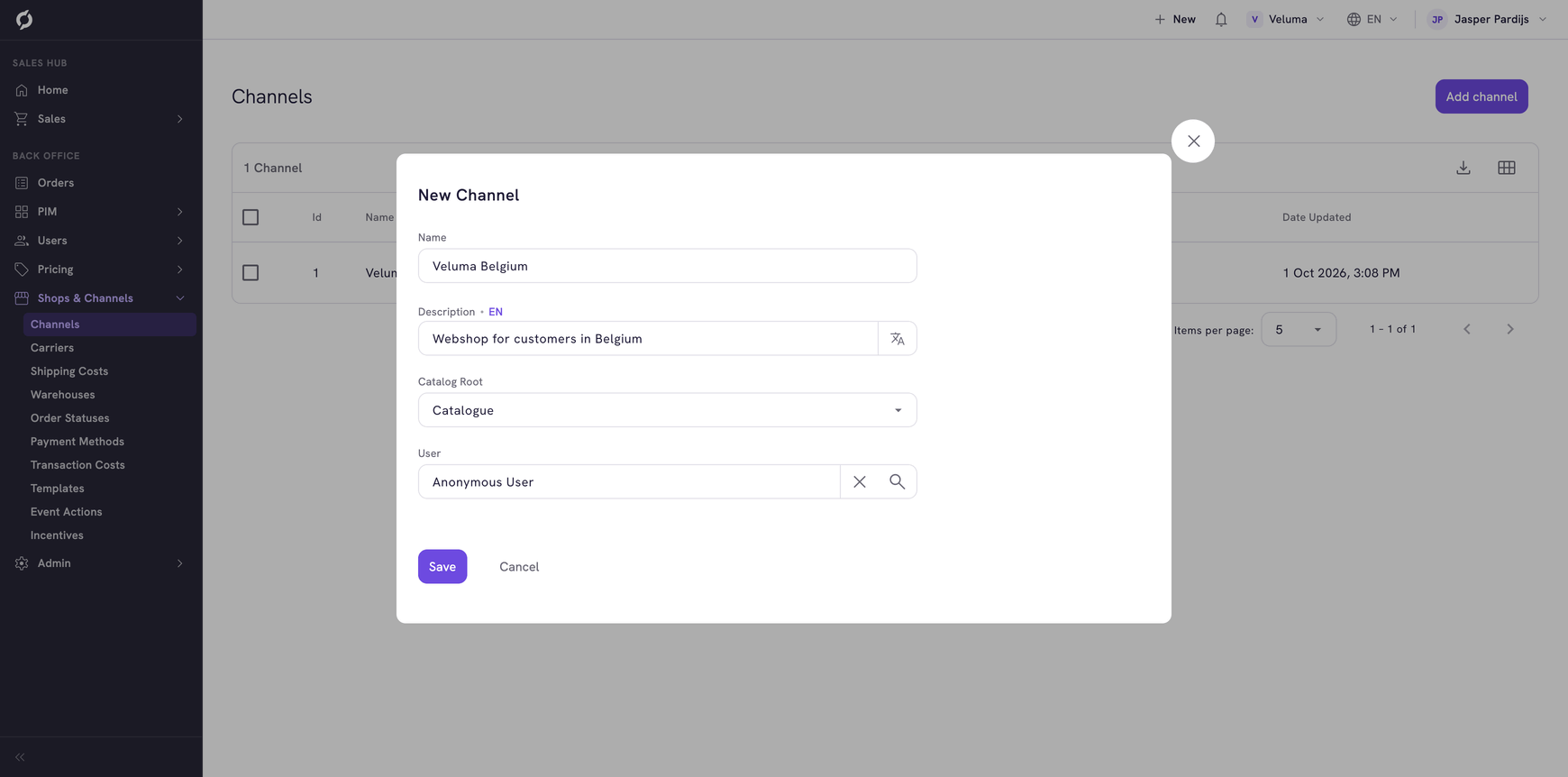
- Fill in the dialog and click Save.
| Field | What it is | Required |
|---|---|---|
| Name | The name of the channel, as sales reps see it when they choose a channel | Yes |
| Description | A short description, per language | No |
| Catalog Root | The category tree this channel shows. Pick one of your catalogues. See Give a channel its own catalogue | Yes |
| User | The customer account that stands for visitors who are not signed in. Their prices and order lists are what such a visitor gets | Yes |
Change a channel
Click the channel in the list, change the fields and click Save.
Delete a channel
- Tick the channel.
- Click Delete.
- Confirm in the dialog that opens.
A deleted channel cannot be brought back. Do not delete a channel that a webshop or open orders still use.
Related pages
- Give a channel its own catalogue
- Event Actions - emails per channel
- Build a business rule