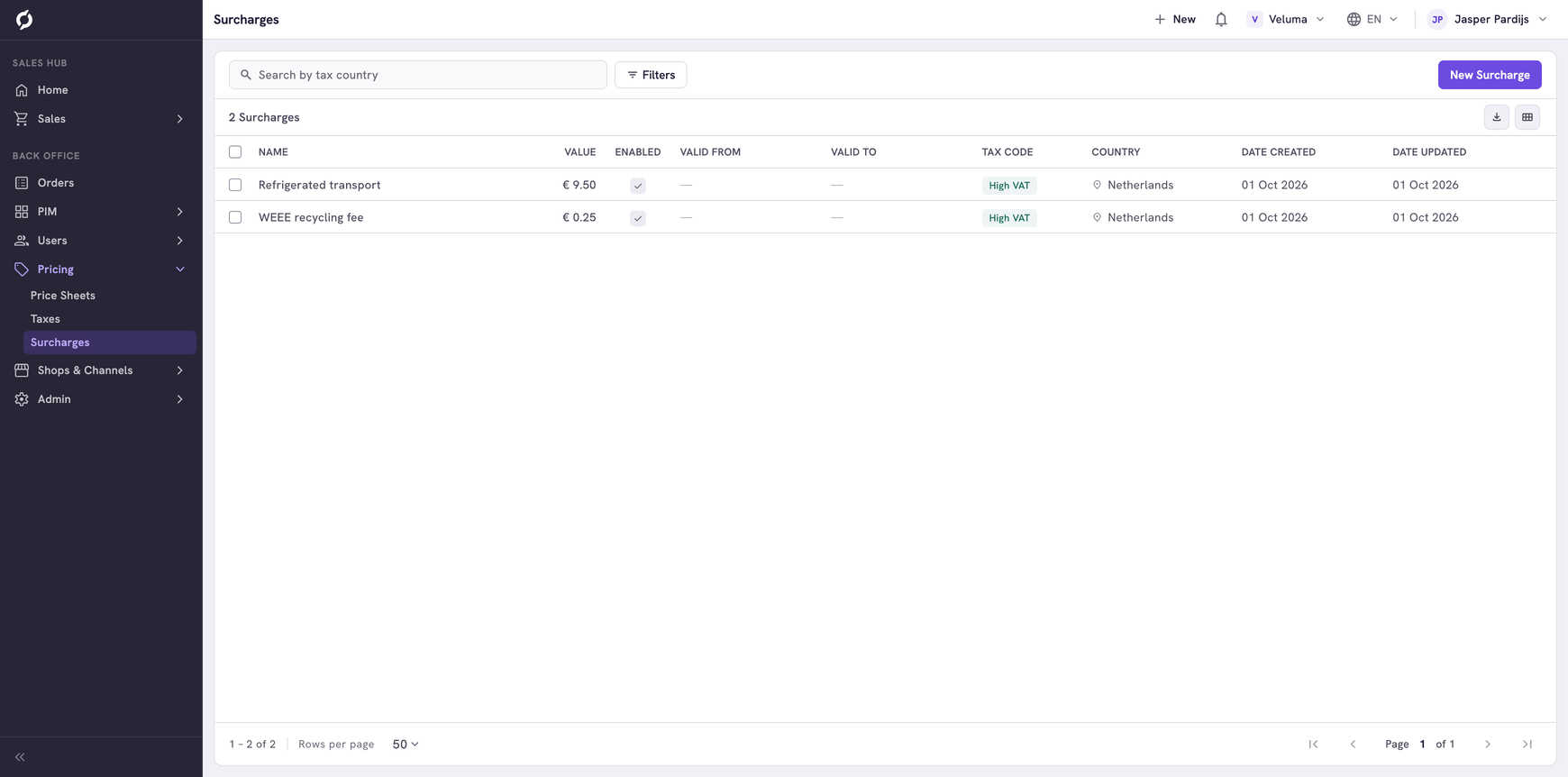
Create and manage surcharges
A surcharge is an extra fee on a product, for example a recycling fee or a fee for refrigerated transport. You make the surcharge here and then link it to the products it applies to.
Before you begin
You need Backoffice access and the Pricing role. To create or delete a surcharge you need Owner access.
Know how a surcharge works
- A surcharge does nothing until it is linked to a product. See Add the surcharge to products.
- On a quote or an order the fee shows as its own line under the product, with the same quantity. A flat fee of 9.50 on 6 pieces adds 57.00.
- A percentage is taken from the price of the product on that line.
- A surcharge counts in one country. Make one per country when the fee differs.
Create a surcharge
- Go to Pricing > Surcharges and click New Surcharge.
- Fill in the dialog.
- Set Enabled to on. A new surcharge is switched off.
- Click Save.
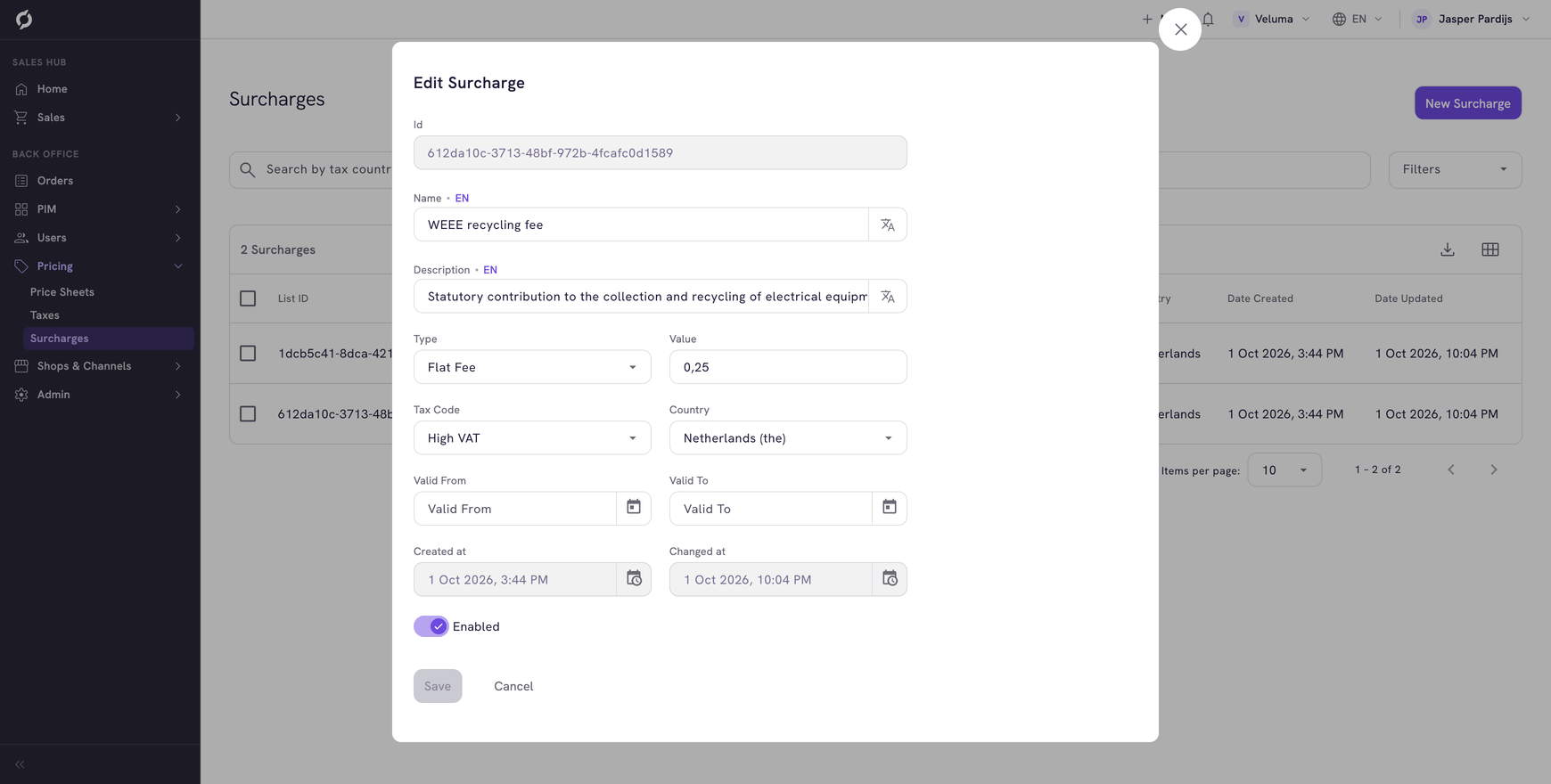
| Field | What it is | Required |
|---|---|---|
| Name | The name of the fee on the order line. It has a value per language | Yes |
| Type | Flat Fee for an amount per piece, Percentage for a percentage of the product price | Yes |
| Value | The amount or the percentage | Yes |
| Tax Code | The VAT class of the fee itself, for example High VAT | Yes |
| Country | The country the fee counts in | Yes |
| Enabled | Switches the fee on or off without deleting it | No |
Add the surcharge to products
- Go to PIM > Products & Clusters and open the product.
- On the Price tab, go to Taxes & surcharges and click Add surcharge.
- Pick the surcharge.
See Set VAT and extra fees. Sales reps see the fee on the product card in the catalogue, and it is added to every quote and order with that product.
Change or stop a surcharge
Click a row in the list, change the fields and click Save. To stop a fee for now, switch Enabled off.
Delete a surcharge
- Tick one or more surcharges.
- Click Delete and confirm.
A deleted surcharge is gone for good and no longer applies to the products it was linked to.