Manage warehouses
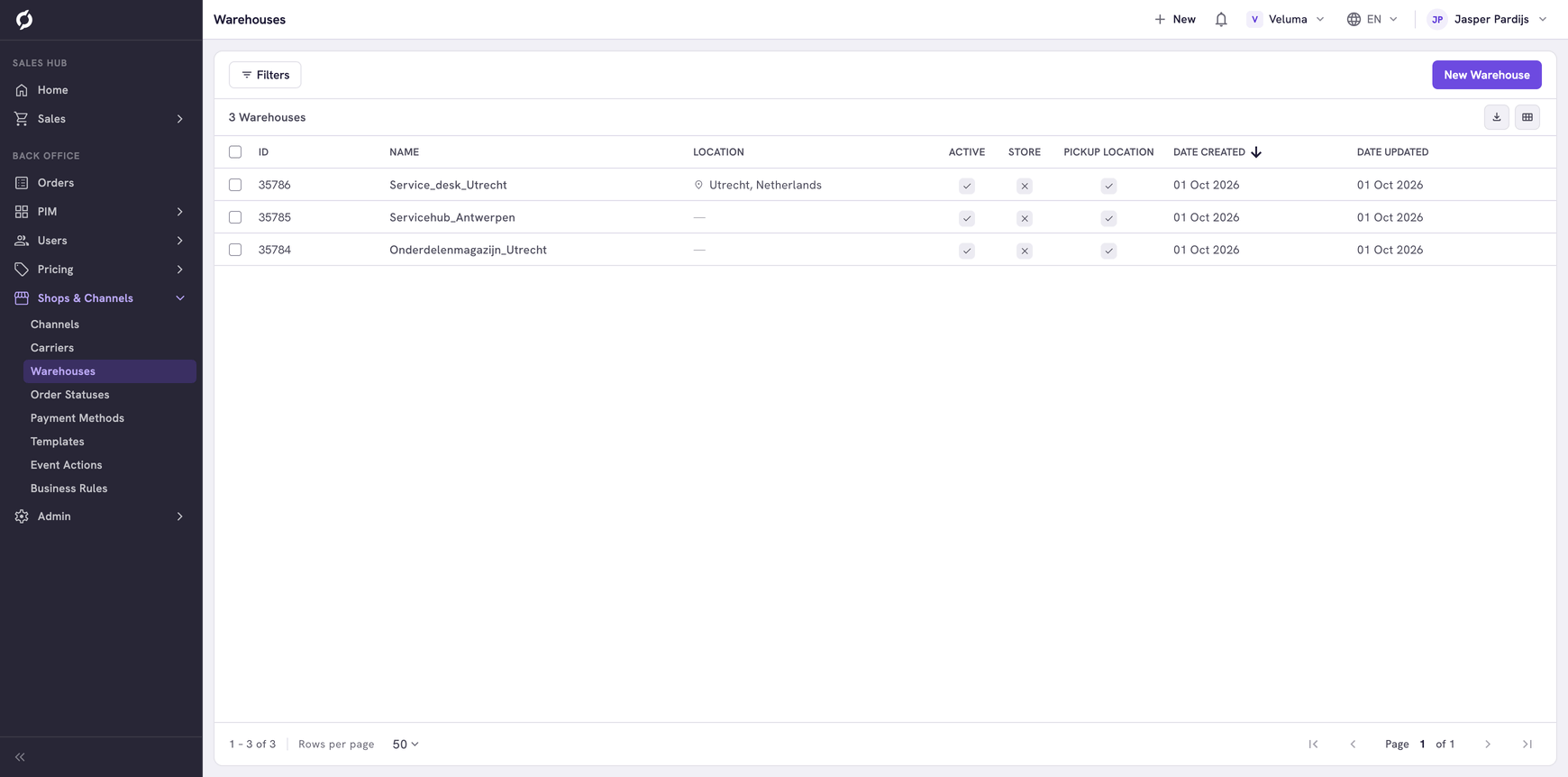
A warehouse is a place where your stock lies. Propeller shows the stock of a product per warehouse, and a warehouse can also be a place where customers collect their order.
Before you begin
You need Backoffice access and the Logistics role. To create or delete a warehouse you need Owner access.
Add a warehouse
- Go to Shops & Channels > Warehouses and click New Warehouse.
- Fill in the General section.
- Click Save.
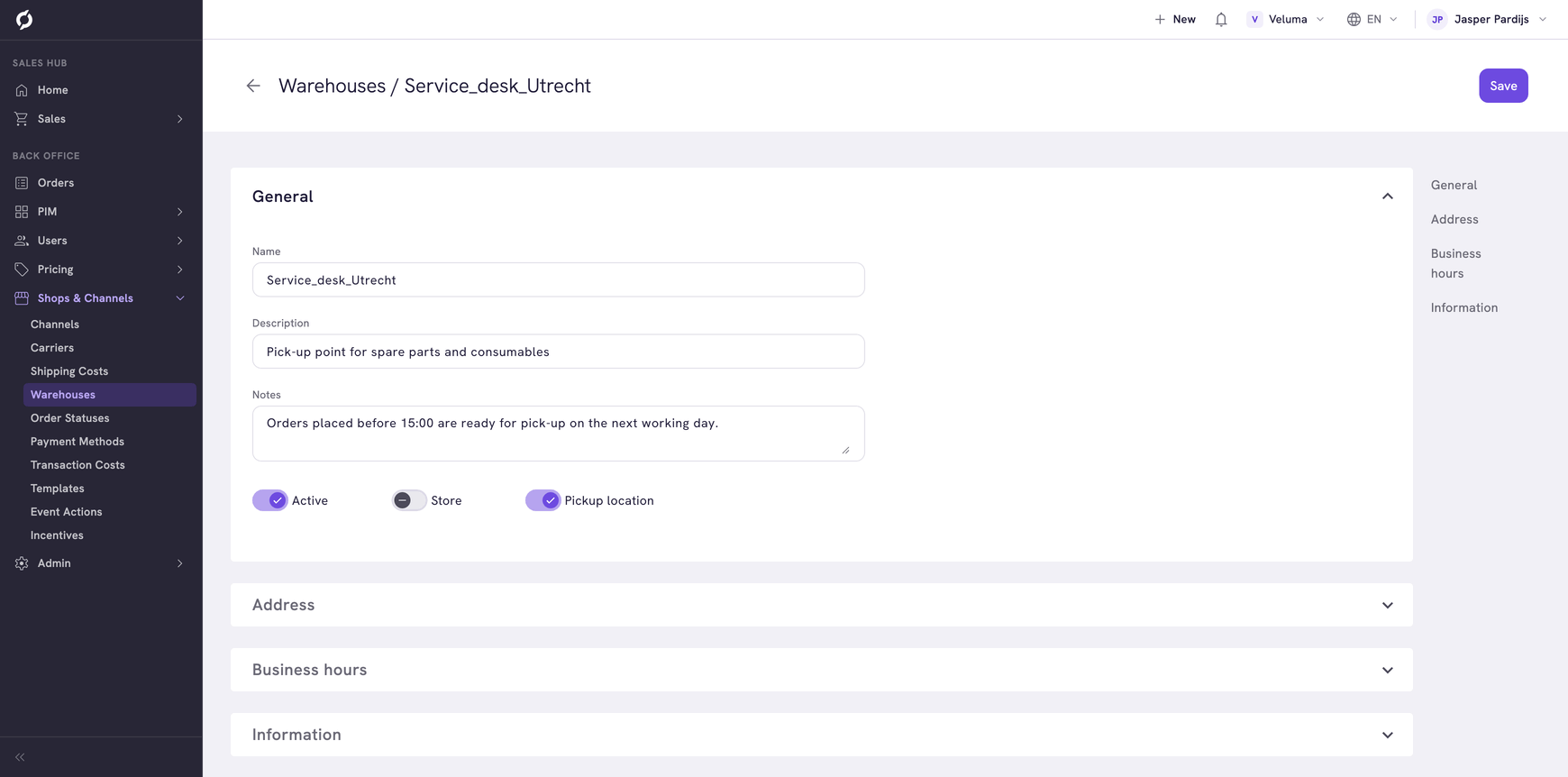
| Field | What it is | Required |
|---|---|---|
| Name | The name of the warehouse, without spaces | Yes |
| Description | What the warehouse is, for example "Central warehouse Deventer" | Yes |
| Notes | Notes for your colleagues. Customers do not see them | Yes |
| Active | Switch off a warehouse you no longer use. Its stock then no longer counts | No |
| Store | The warehouse is also a shop customers can visit | No |
| Pickup location | Customers can collect an order here. The warehouse then shows under Pick-up location on a quote or an order | No |
The stock itself is not typed here. It comes from your ERP or warehouse system and shows on the Logistics tab of a product. See Set stock and availability.
Add the address and the opening hours
- Click the warehouse in the list.
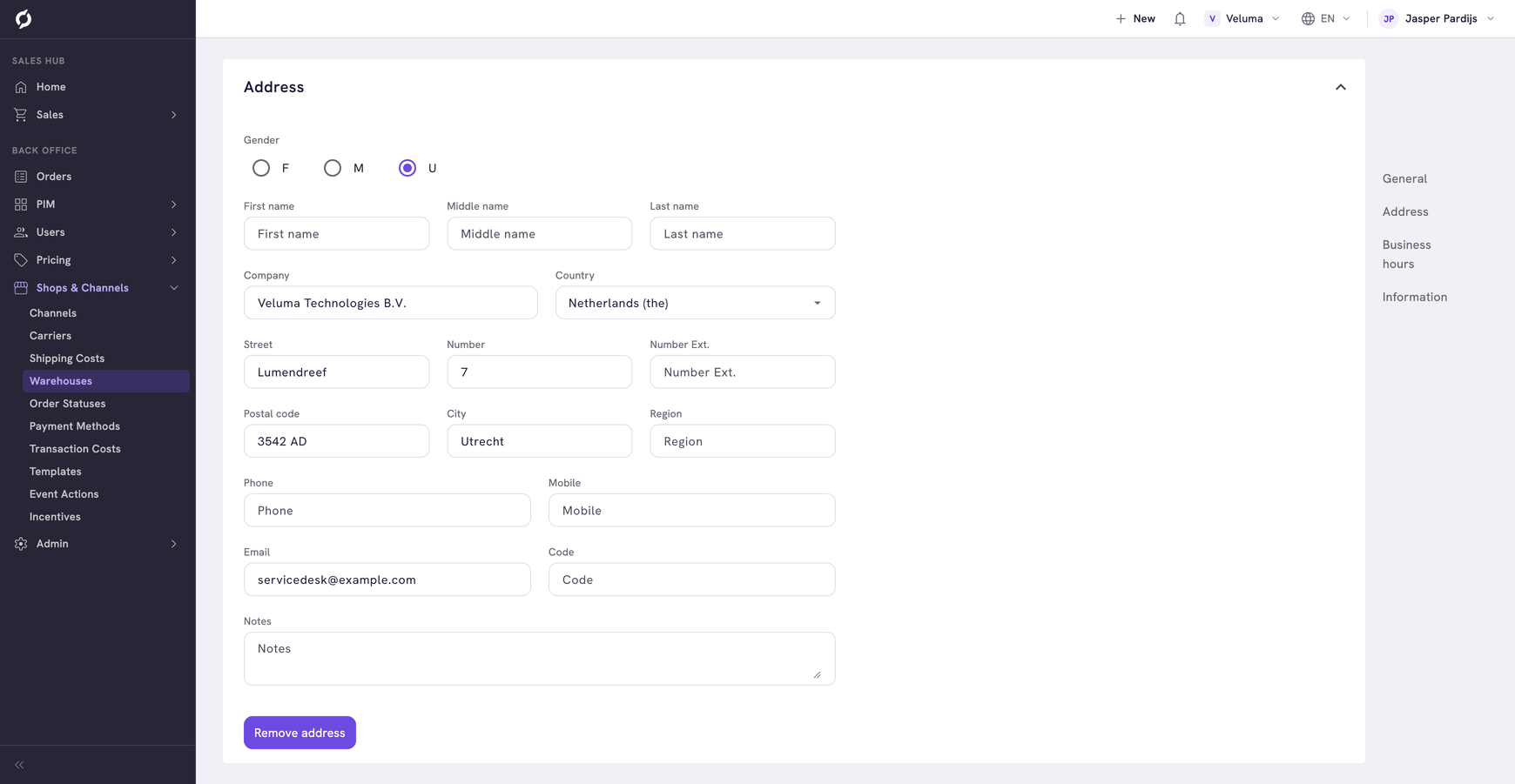
- Open the Address section and fill in the address. Country, Street, Postal code and City are required.
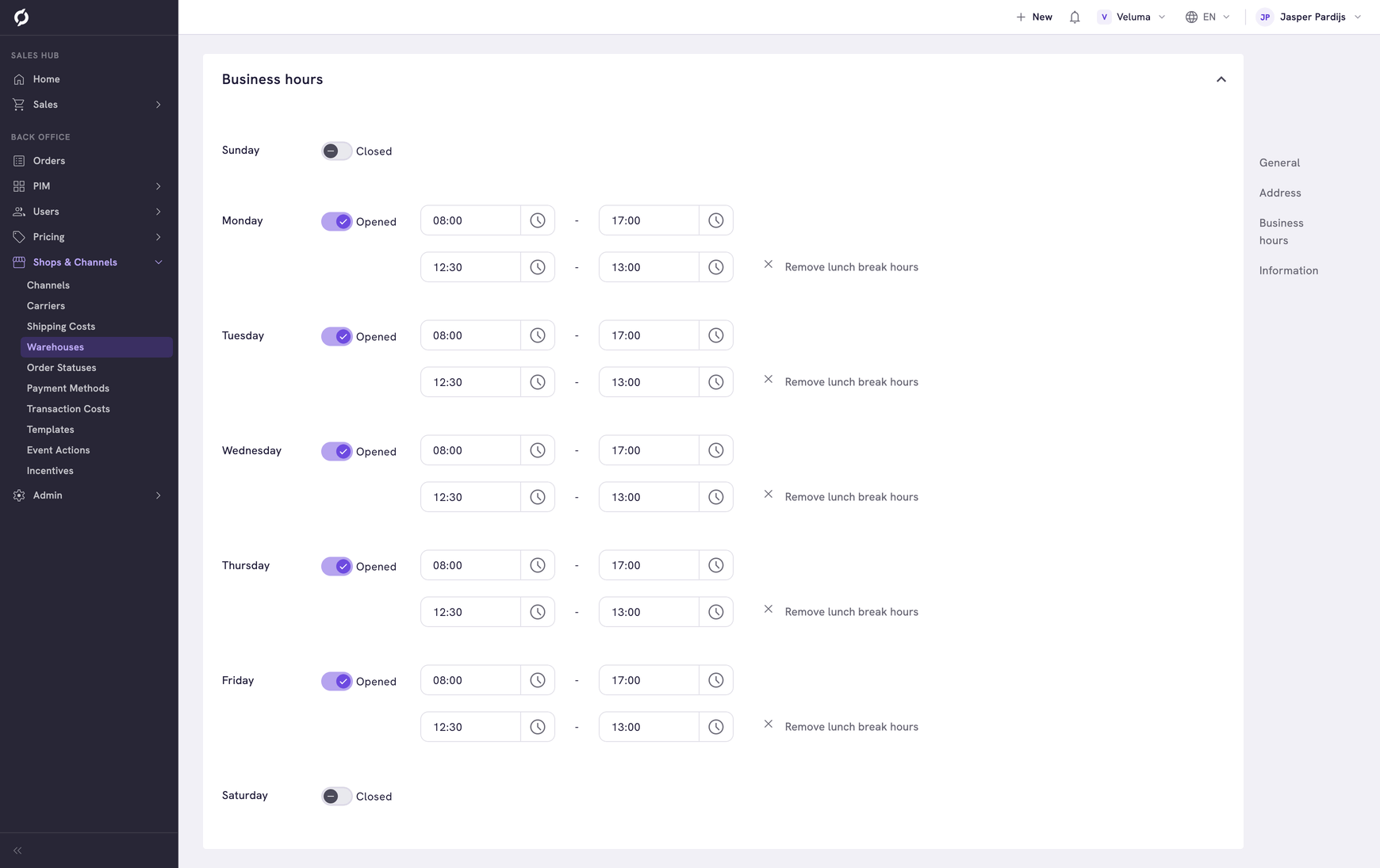
- Open the Business hours section. Per day, set the switch to Opened and choose the times. Add lunch break hours adds a break.
- Click Save.
Delete a warehouse
- Tick one or more warehouses in the list.
- Click Delete and confirm.
A deleted warehouse cannot be brought back. To stop using a warehouse and keep it, switch Active off.
Related pages
- Carriers - link a carrier to its warehouses
- Set stock and availability