Choose who gets a promotion
A promotion counts for every order that meets its conditions. These examples limit a promotion to customers with a code, to some companies, to one contact or to a period.
Before you begin
You need Backoffice access and the Configuration role with Editor or Owner access. A code only works in the webshop, see Know where a promotion counts.
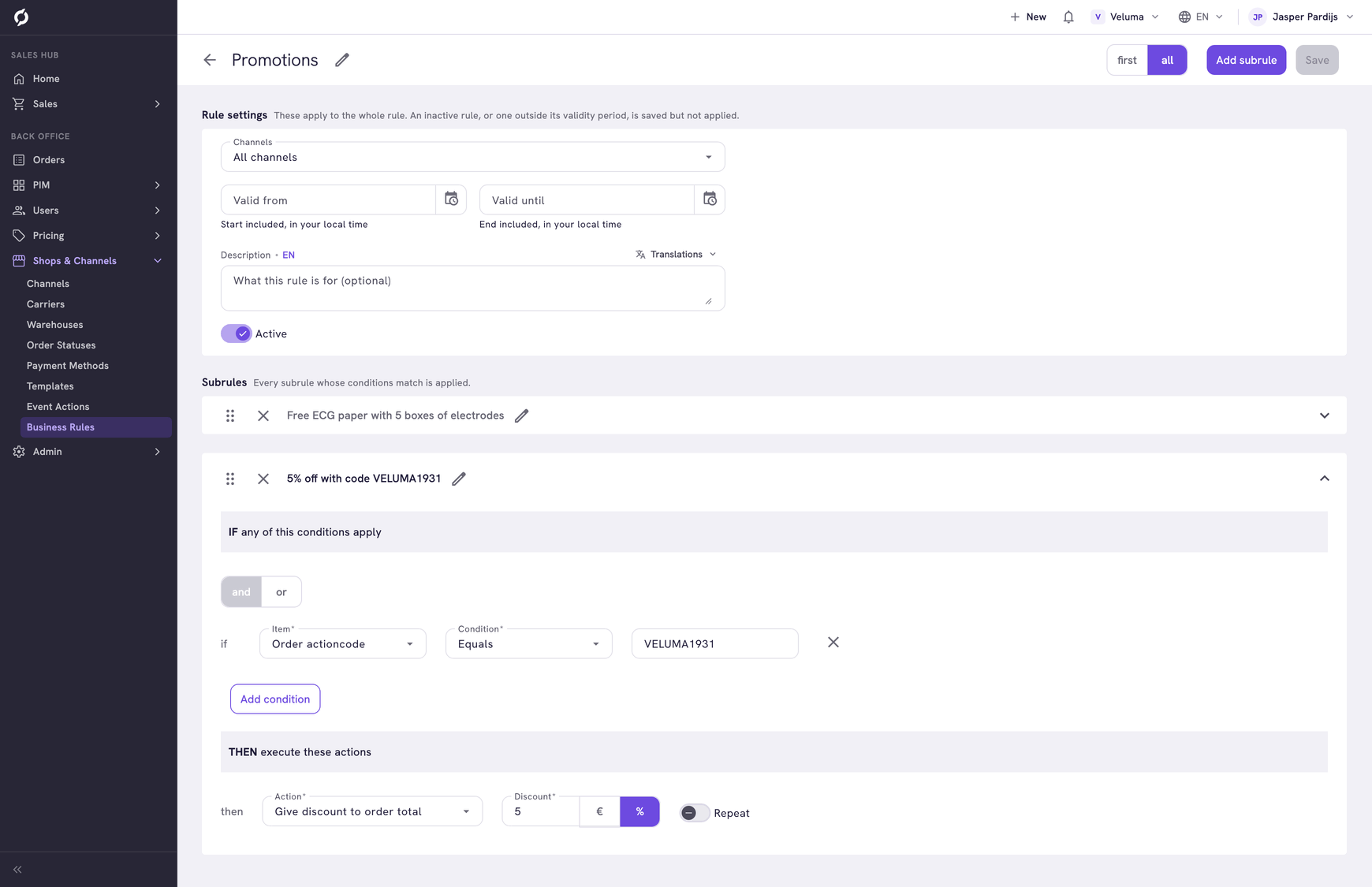
Offer a discount code
"10% off with the code SPRING26, for orders from € 250."
| Part | What to choose |
|---|---|
| IF | Order actioncode Equals SPRING26 |
| And | Order subtotal GreaterThanOrEqualTo 250 |
| THEN | Give discount to order total, 10 with % |
Type the code in the condition only. The rule builder adds it to the action when you save. A subrule holds one code, so add a subrule for every other code.
| Order in the webshop | Result |
|---|---|
| € 260 with the code | Code accepted, € 26 off |
| € 200 with the code | Code refused |
| € 260 with the code, then lowered to € 200 | Code and discount removed. The customer types the code again after adding products |
| € 260 without the code | No discount |
Waive the shipping costs with a code
| Part | What to choose |
|---|---|
| IF | Order actioncode Equals SHIPFREE |
| THEN | Set shipping costs, Price 0 |
Without the code, the shipping costs rule sets the price as usual.
Give some companies their own discount
A rule cannot look at the Groups of a company. Mark the companies with an attribute instead.
- Make a value set with the values GOLD, SILVER and BRONZE. See Value Sets.
- Go to Admin > Attributes, click Company and create an Enum attribute CUSTOMER_SEGMENT with that value set. See Attributes.
- Fill in the attribute on your companies.
- Add subrules to an incentive rule:
| Subrule | IF | THEN Give discount to order total |
|---|---|---|
| Gold 5% | Company Attribute CUSTOMER_SEGMENT Equals GOLD | 5 with % |
| Silver 2% | Company Attribute CUSTOMER_SEGMENT Equals SILVER | 2 with % |
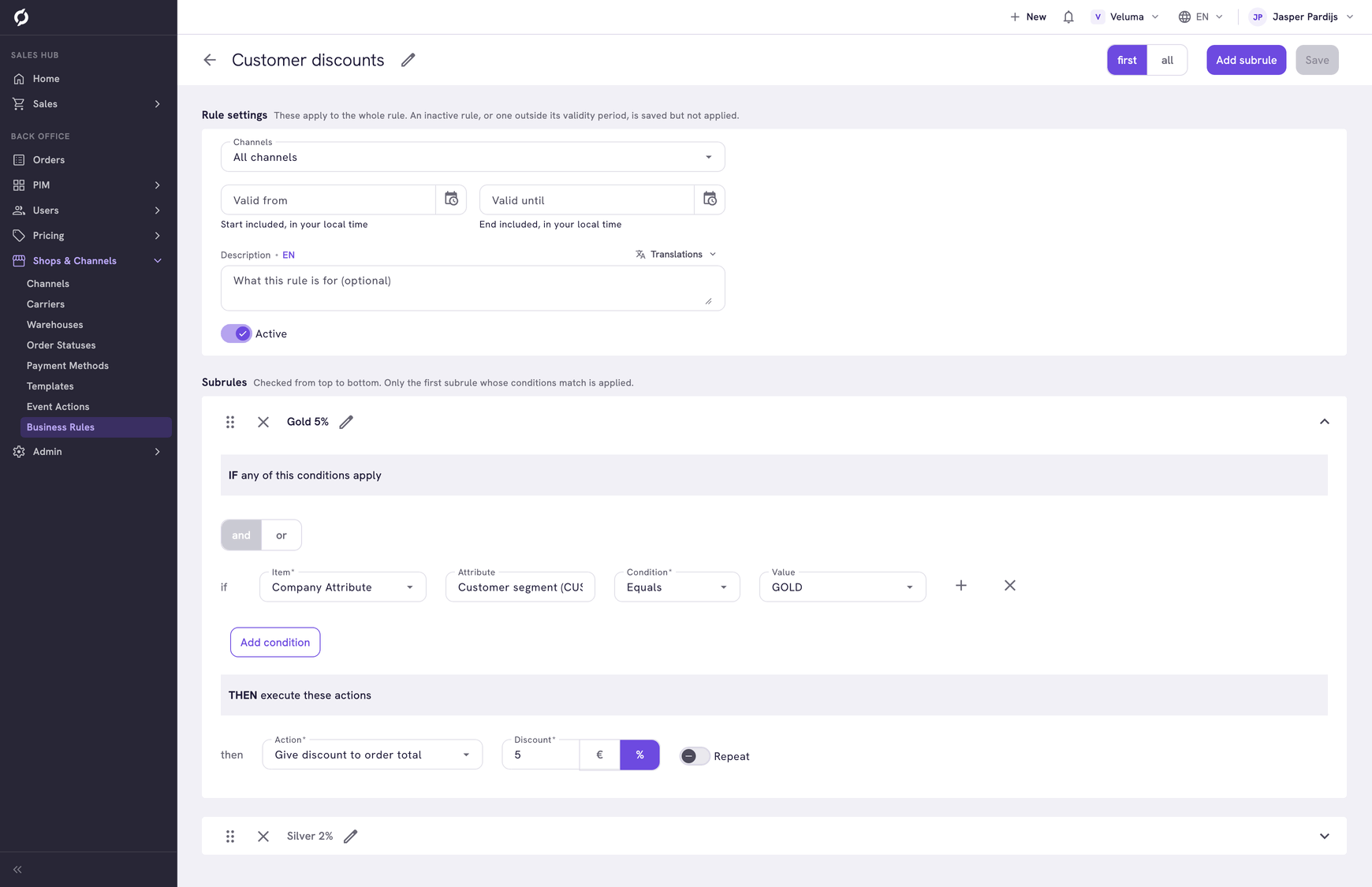
In the example environment the hospital is GOLD: after Apply incentives its quote of € 427.80 gets € 21.39 off. A company without a segment pays the normal price. The same attribute works in the other types of rule, for example for free shipping or payment on account.
Give one contact a discount
Use User Attribute instead of Company Attribute, with an attribute of the contact. Only that contact gets the discount. Colleagues at the same company pay the normal price.
A Text attribute also asks for the Language of its value. See Use an attribute in a condition.
Run a promotion for a period
Give the promotion its own incentive rule and fill in Valid from and Valid until under Rule settings. Every incentive rule that is true counts, so it comes on top of your other promotions.
Do not use a date condition for this, see Use a date in a condition.