Charge shipping costs and payment fees
A shipping costs rule sets what a customer pays for shipping. A transaction costs rule adds a fee for the way they pay, for example by credit card.
Before you begin
You need Backoffice access and the Configuration role. To create or delete a rule you need Owner access, to change one Editor or Owner access. How to fill in a rule is on Build a business rule.
Charge shipping costs
- Go to Shops & Channels > Business Rules and click Shipping costs above the list.
- Open the rule, or click New Rule when there is none. Set the switch to first.
- Add a subrule per price, the most specific one at the top.
- Under THEN, choose Set shipping costs and type the Price. A price excludes VAT.
- Click Save.
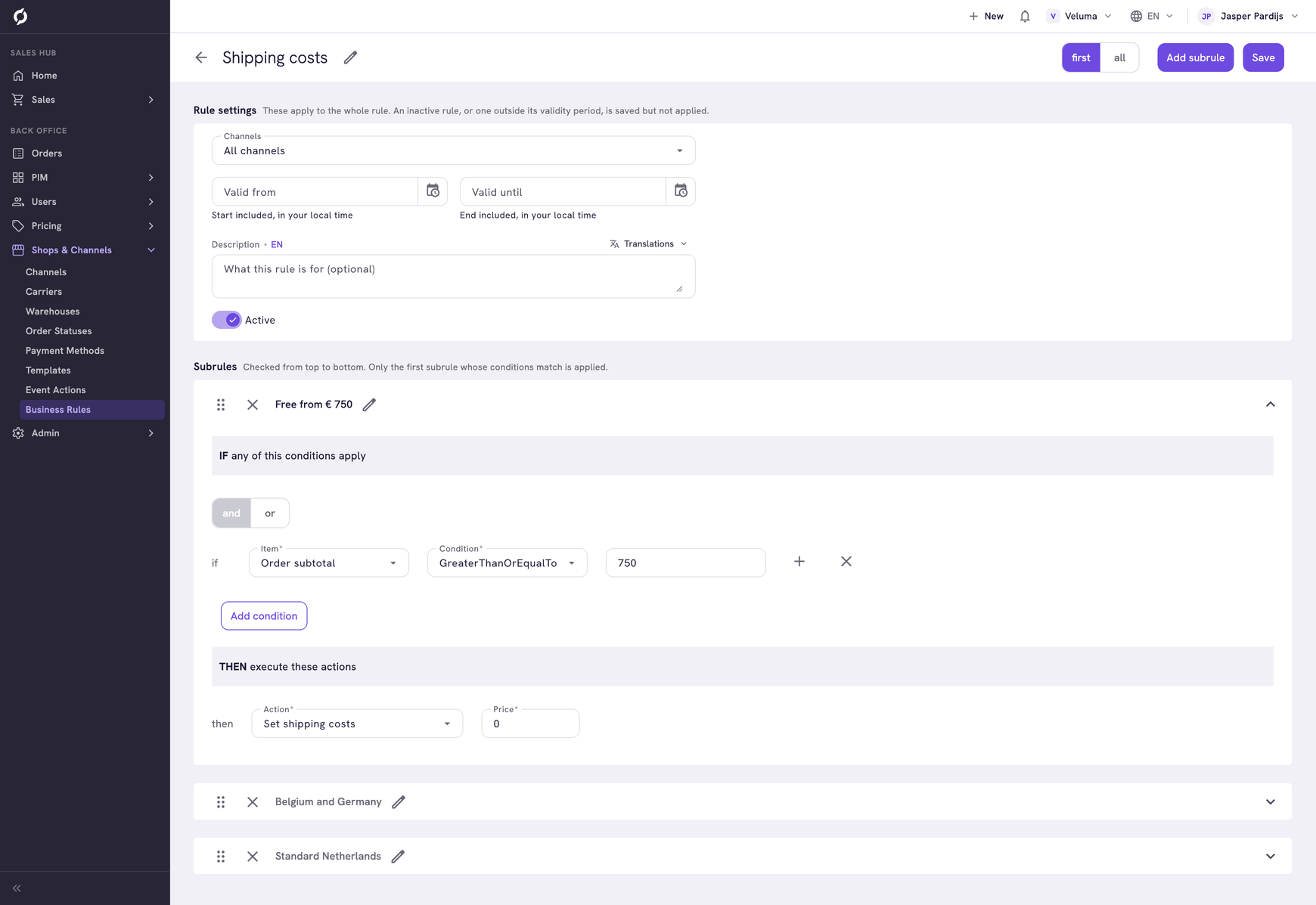
The rule of the example:
| Subrule | IF | Price |
|---|---|---|
| Free from € 750 | Order subtotal GreaterThanOrEqualTo 750 | 0 |
| Belgium and Germany | Order delivery address country Equals Belgium or Germany | 24.95 |
| Standard Netherlands | Order subtotal GreaterThanOrEqualTo 0 | 12.50 |
| Order | Shipping costs |
|---|---|
| € 800 to Belgium | € 0 |
| € 300 to Germany | € 24.95 |
| € 300 to the Netherlands | € 12.50 |
In the Sales Hub a sales rep can set another amount by hand on one quote or order. See Check the totals.
Let your best customers ship for free
Add a subrule at the top that looks at the company:
| Subrule | IF | Price |
|---|---|---|
| Gold ships free | Company Attribute CUSTOMER_SEGMENT Equals GOLD | 0 |
CUSTOMER_SEGMENT is an example of a company attribute you create yourself. See Give some companies their own discount.
Charge a fee for a way of paying
- Click Transaction costs above the list and open the rule.
- Add a subrule with a condition on Order paymethod and pick the payment method from the list.
- Under THEN, choose Set transaction costs and type the Price.
- Click Save.
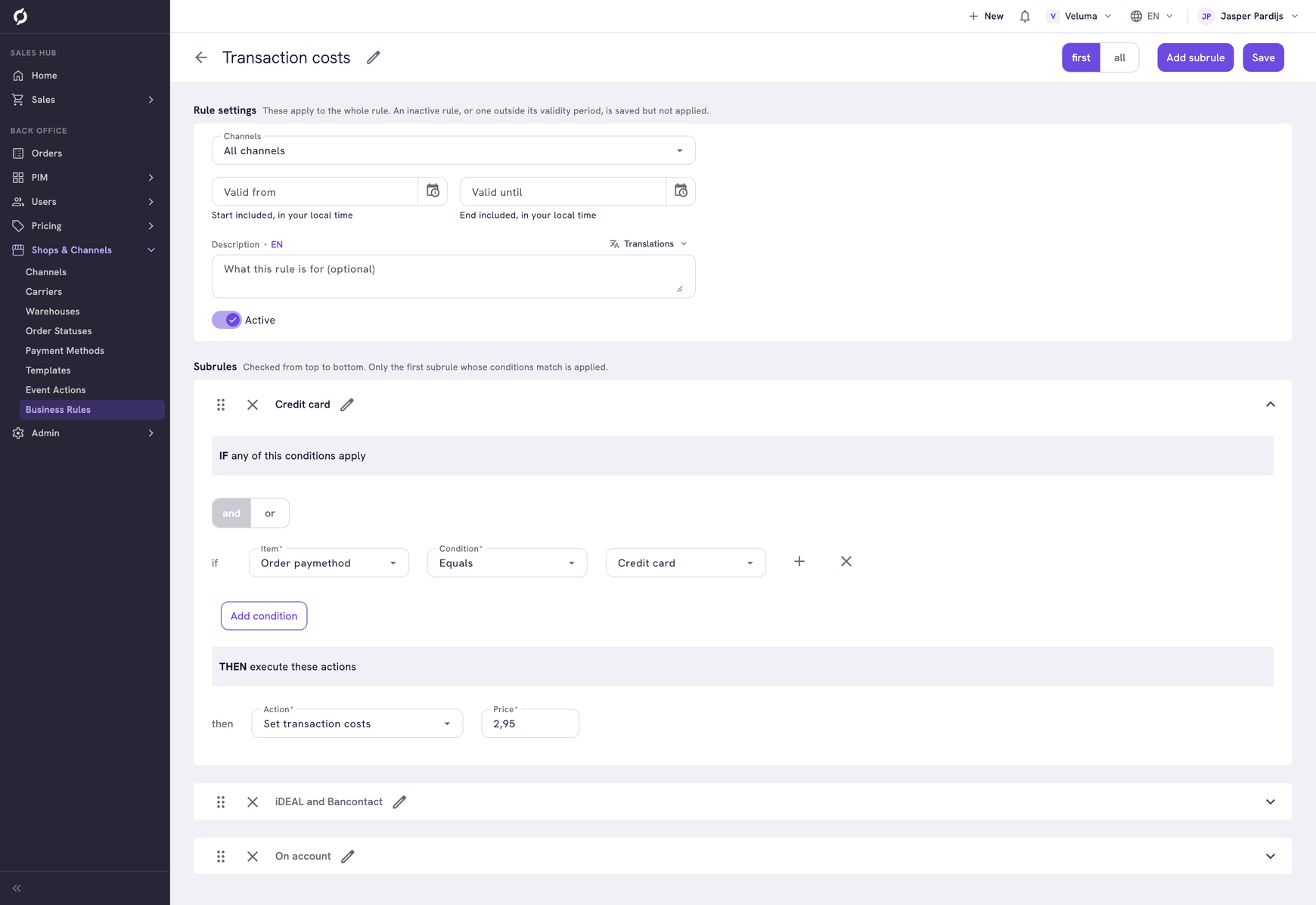
The rule of the example, with the switch on first:
| Subrule | IF Order paymethod Equals | Price |
|---|---|---|
| Credit card | Credit card | 2.95 |
| iDEAL and Bancontact | iDEAL or Bancontact | 0.35 |
| On account | On account (30 days) | 0 |
The fee shows as Transaction cost in the totals of a quote or an order.
Keep one rule of each type
When two shipping costs rules are true for the same order, the rule created last sets the price. The same goes for transaction costs. Keep one rule and put the alternatives in its subrules.
To charge differently per webshop, give each webshop its own rule and limit it to a channel.
Lower the costs with a promotion
A promotion can also set the shipping costs or the transaction costs, for example free shipping with a code. It counts after these rules and replaces their price. See Waive the shipping costs with a code.