Decide which carriers and payment methods a customer can pick
A carrier rule decides which carriers a customer can pick for an order. A payment method rule does the same for payment methods. A carrier or payment method that no rule offers cannot be picked.
Before you begin
- You need Backoffice access and the Configuration role. To create or delete a rule you need Owner access, to change one Editor or Owner access.
- The carriers and payment methods must exist. See Carriers and Payment Methods.
Decide which payment methods a customer can pick
- Go to Shops & Channels > Business Rules and click Payment method rules above the list.
- Open the rule, or click New Rule when there is none. Set the switch to all, so several payment methods are offered together.
- Click Add subrule and add the conditions under which the payment method may be picked.
- Under THEN, choose Set payment method to selectable and pick the payment method.
- Click Save.
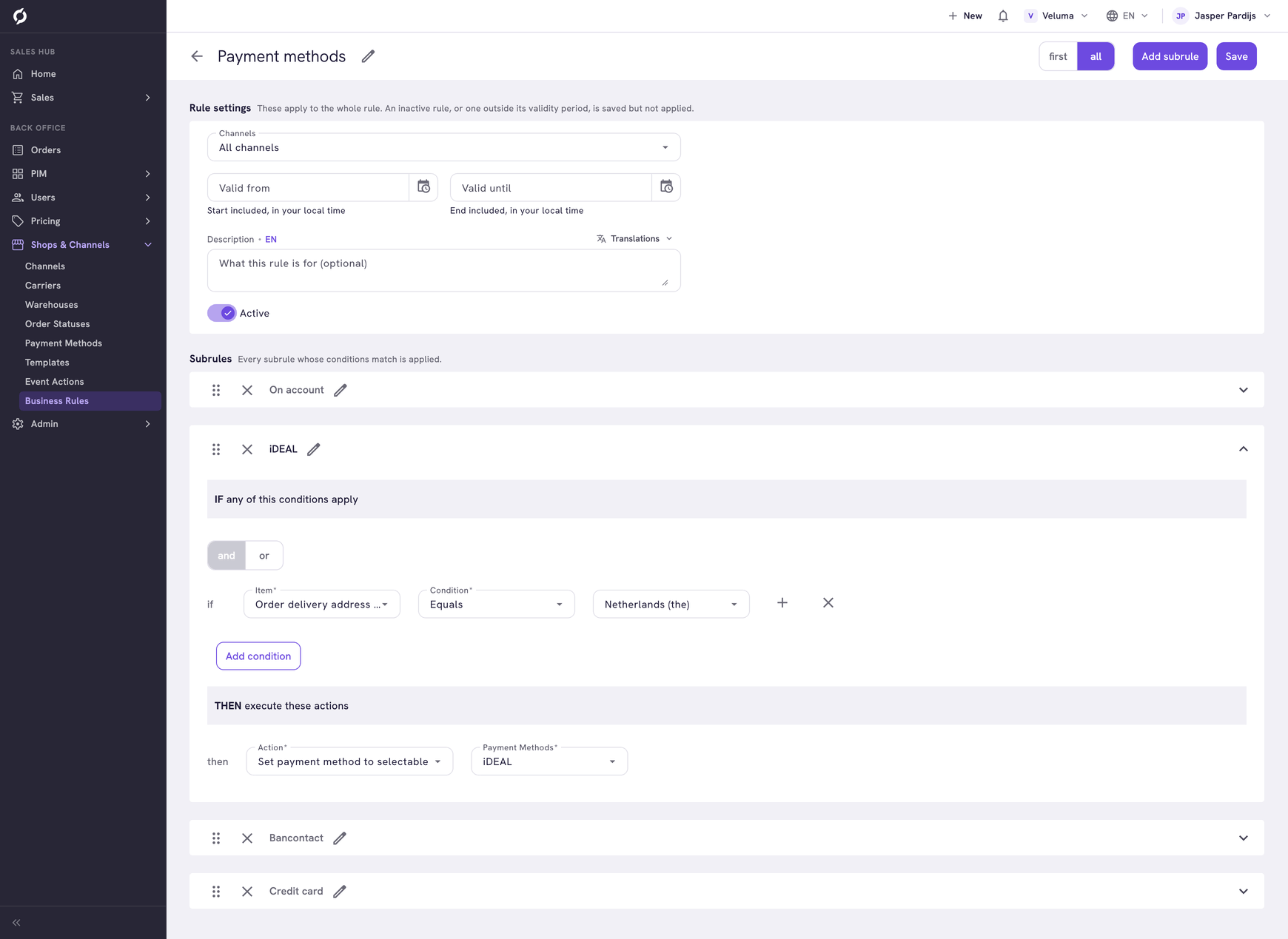
The name of a subrule is only a label. The action decides which payment method it offers. The rule of the example:
| Subrule | IF | Offers |
|---|---|---|
| On account | Order subtotal GreaterThanOrEqualTo 0, so every order | On account (30 days) |
| iDEAL | Order delivery address country Equals Netherlands (the) | iDEAL |
| Bancontact | Order delivery address country Equals Belgium | Bancontact |
| Credit card | Every order | Credit card |
A customer in the Netherlands can pay on account, with iDEAL or by credit card. A customer in Germany can pay on account or by credit card.
Offer payment on account to some companies only
Change the condition of the subrule On account to one on the company, for example Company Attribute CUSTOMER_SEGMENT Is one of GOLD and SILVER. Other companies no longer see On account.
CUSTOMER_SEGMENT is an example of a company attribute you create yourself. See Give some companies their own discount.
Decide which carriers a customer can pick
Click Carrier rules above the list and follow the same steps, with the action Set carrier to selectable.
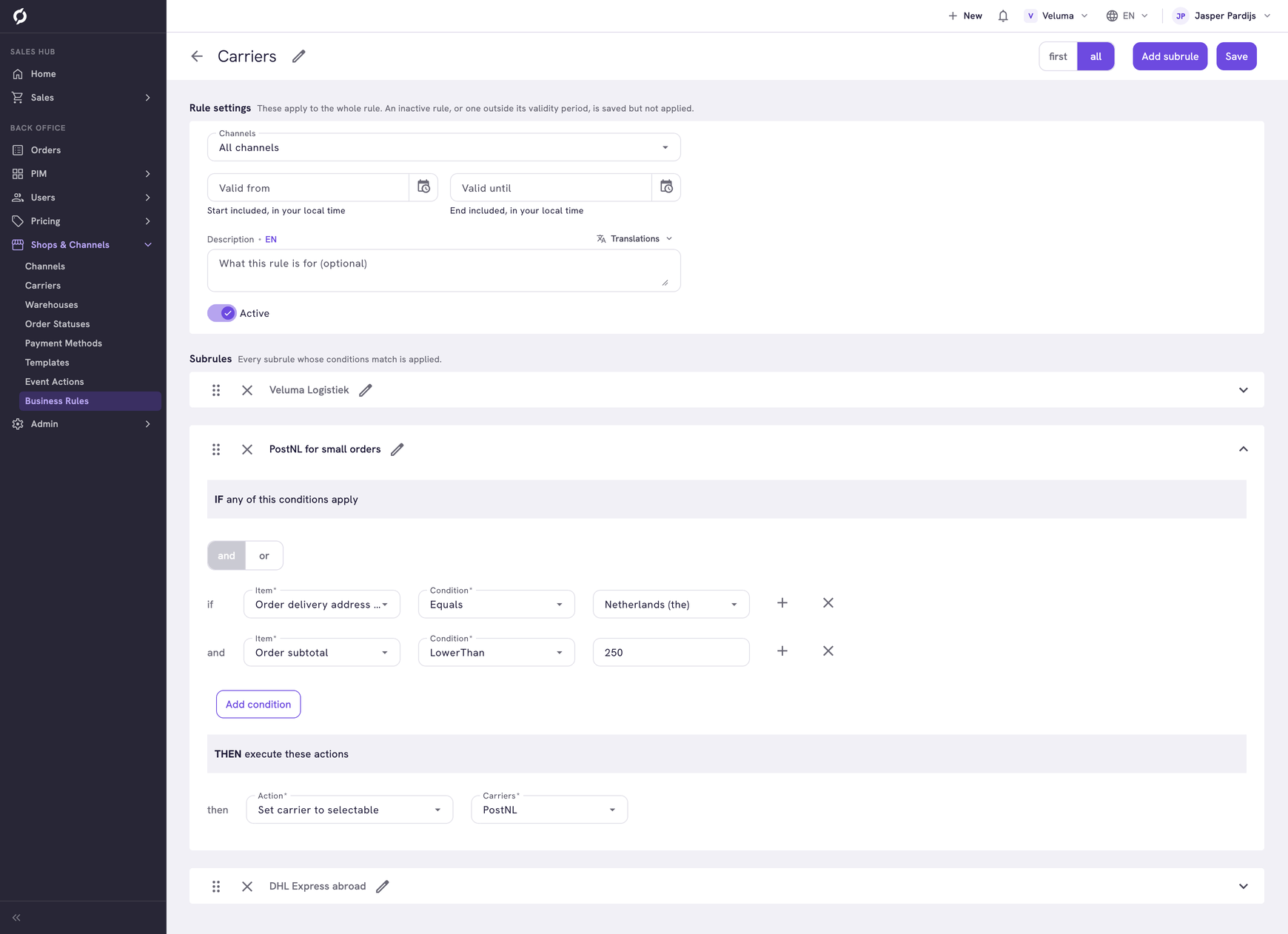
| Subrule | IF | Offers |
|---|---|---|
| Veluma Logistiek | Order delivery address country Equals Netherlands (the) or Belgium | Veluma Logistiek |
| PostNL for small orders | Order delivery address country Equals Netherlands (the) and Order subtotal LowerThan 250 | PostNL |
| DHL Express abroad | Order delivery address country Equals Belgium or Germany | DHL Express |
| Order | Carriers offered |
|---|---|
| € 120 to the Netherlands | Veluma Logistiek and PostNL |
| € 600 to Belgium | Veluma Logistiek and DHL Express |
| € 600 to France | None |
An order to a country that no subrule names gets no carrier. If you ship everywhere, add a subrule that is true for every order.
Offer a carrier for large orders or some companies
Make two subrules that offer the same carrier, for example one with Order subtotal GreaterThanOrEqualTo 2500 and one with your Gold companies. A customer for whom both are true sees the carrier once. Within one rule a carrier or payment method is offered once.
Keep one rule of each type
The carriers and payment methods of all rules that are true are offered together. One that two rules offer shows twice. A rule cannot take away what another rule offers. Keep one carrier rule and one payment method rule.