Hide or delete a product
Hide a product when it should stay in Propeller and disappear from the webshop, for example while it is out of season. Delete it only when you will never need it again.
Before you begin
- You need Backoffice access and the Product Data role with Editor or Owner access to hide a product.
- To delete a product you need Owner access.
Hide a product
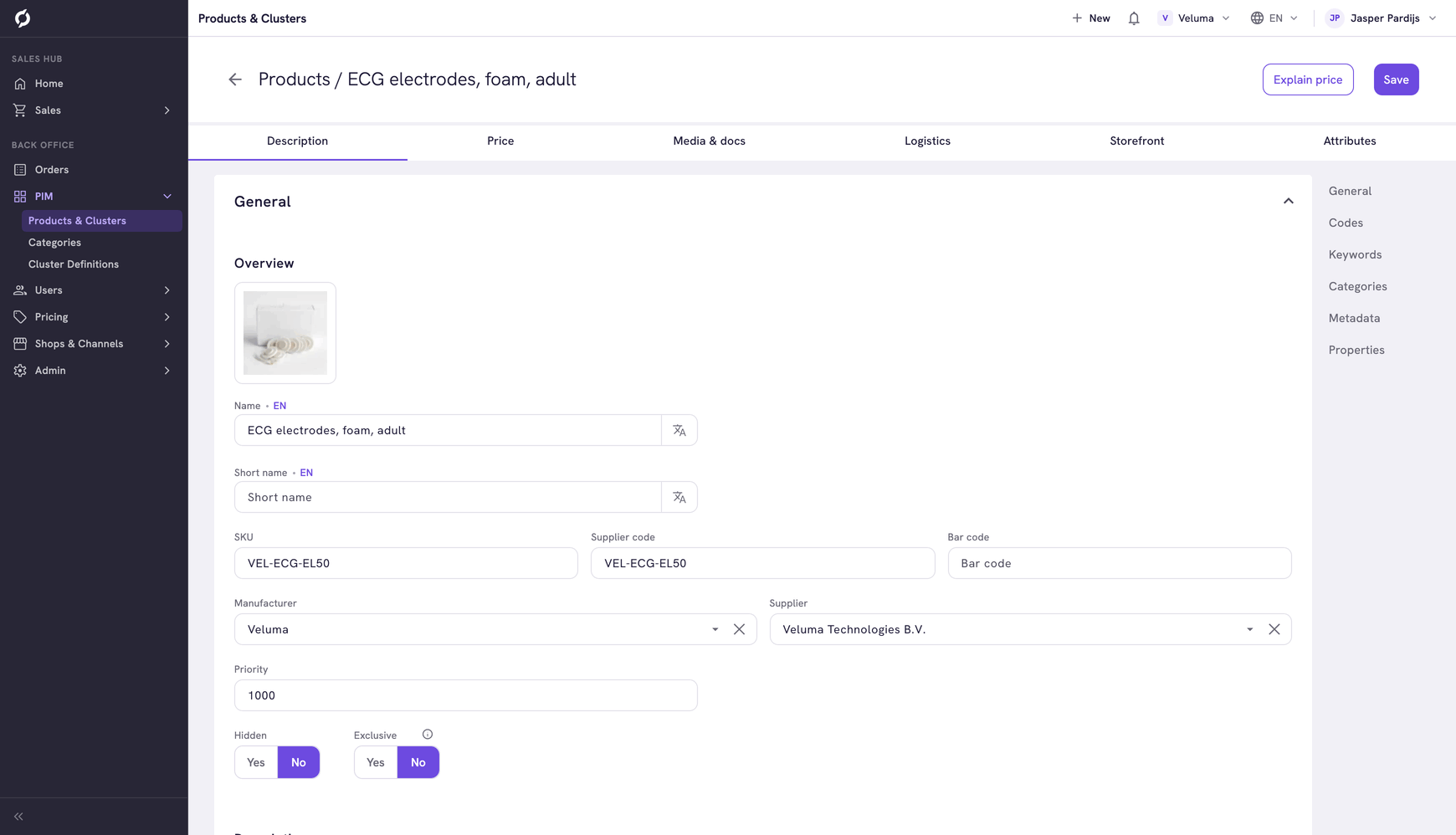
- Go to PIM > Products & Clusters and open the product.
- On the Description tab, set Hidden to Yes.
- Click Save.
The product no longer shows in the webshop. It stays in the PIM, on the orders it is already on and on price sheets. In the Products & Clusters list the Is hidden column shows which products are hidden, and the Hidden filter finds them.
To bring the product back, set Hidden to No and save.
Delete a product
- Go to PIM > Products & Clusters.
- Tick one or more products.
- Click Delete and confirm.
A deleted product is gone for good and cannot be brought back. Products that showed it as an accessory or an alternative lose that link.
warning
Deleting a cluster also deletes the products in it. To keep them, move them out of the cluster first. See Clusters.
Related pages
- Find and manage products
- Set stock and availability - stop orders without hiding the product