Sales Hub Product Filters and Order Sources
· 2 min read

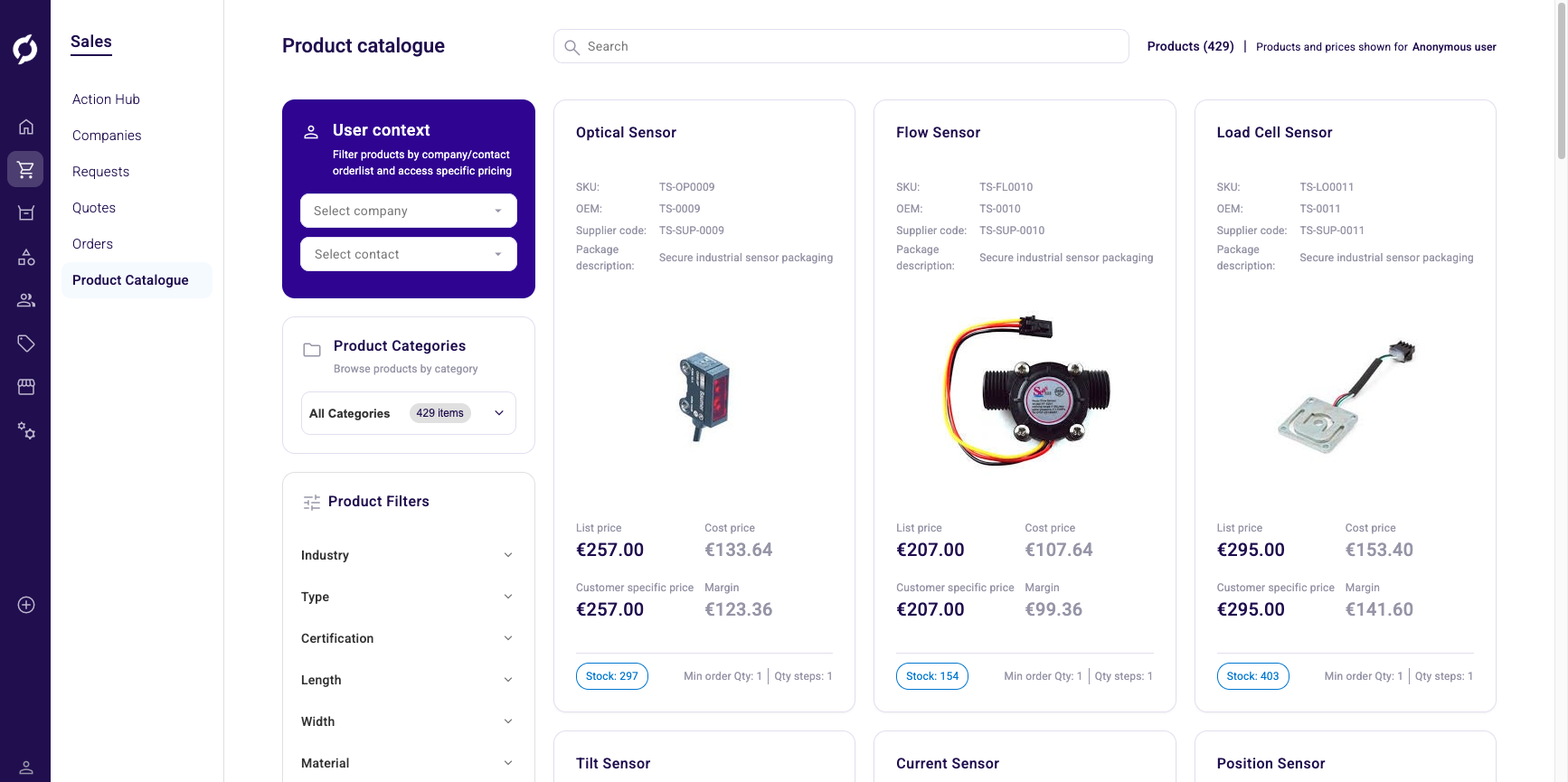
The backoffice and Sales Hub now show decimal and integer attribute filters in the product list. The order detail page shows source name and ID, and API keys can no longer be deleted from the UI to prevent accidents.
New Features
- Attribute filters for decimal and integer types. The product list in the backoffice PIM and the Sales Hub now shows filter controls for decimal and integer attributes, not only text. This matches the filter behavior already available on the storefront.
Improvements
- Sources on the order detail page. The order detail page now shows source name and source ID instead of the deprecated external order ID. The deprecated field will be removed in a later release.
- Removed Delete option from API key management in the UI. To prevent accidental deletion of active API keys, the delete action is no longer available from the backoffice UI. You can still enable or disable keys from the UI. Deletion remains available through the API for experienced users.
Bug Fixes
- You can now change the role assigned to a GraphQL API key.
- The category filter in the product catalogue now clears properly when you reset your search.
- You can now remove the search term from the quote request listing.
- Vimeo video links no longer disappear after you save a product or cluster.
- The Send to client button no longer appears on quote requests, where it does not apply.
- Bundles now display correctly in the order editor.