Business rules per channel
· 3 min read

You can now set which channels a business rule applies to, so a promotion or a shipping rule can run on one shop and not on another. This release also lets you set margin and discount on an order line, adds a shipping method column and a company name search to the order listings and makes several listings faster.
New Features
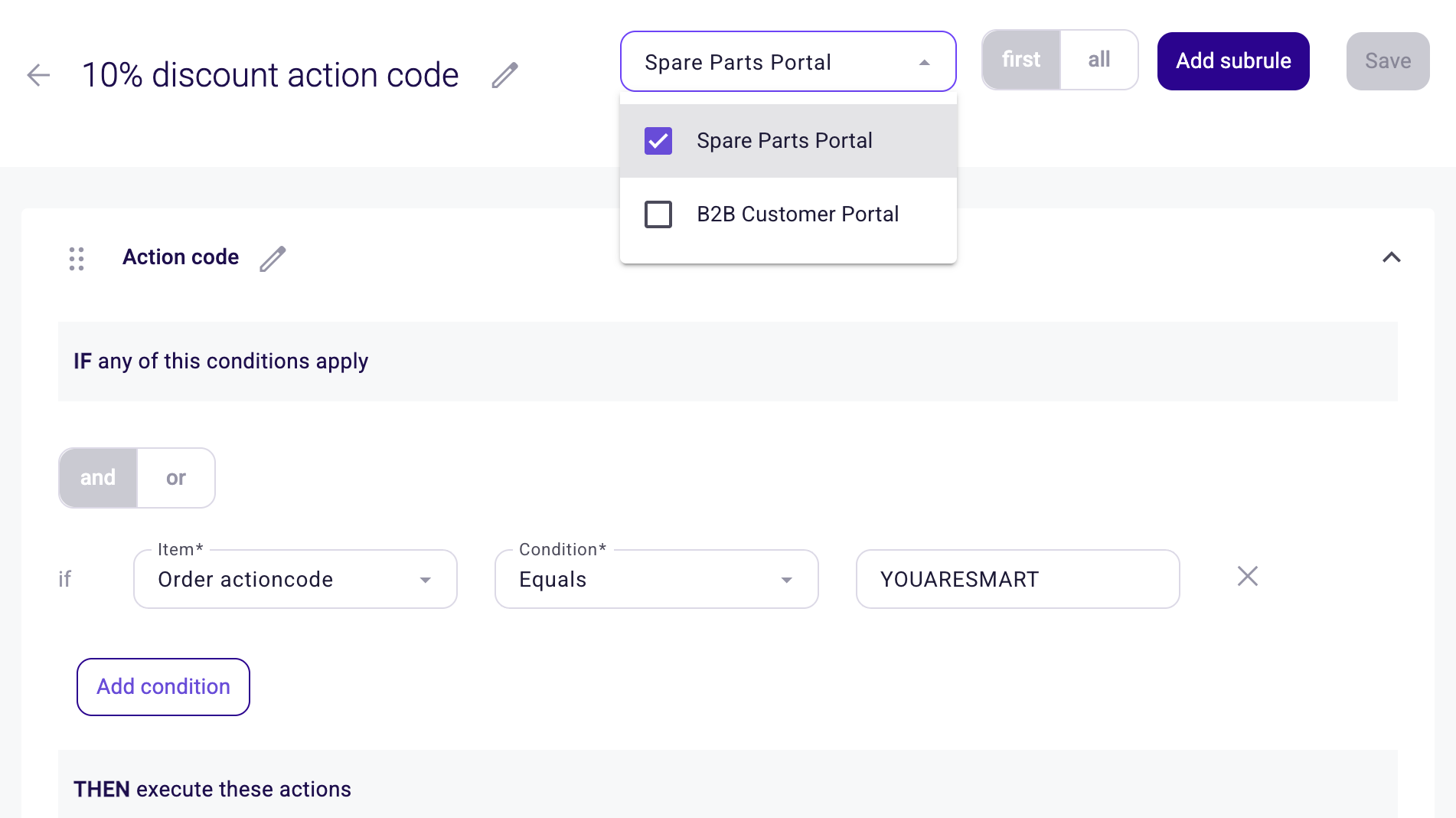
- Business rules per channel. When you create or edit a rule you now pick the channels it applies to. Leave the selection empty and the rule applies to every channel, which is how your existing rules keep working. It works for every rule type, so you can run a promotion on one shop while another keeps its own.
- Set margin and total discount on an order line. In the order editor you can now enter a Sale Margin % or a Total discount % on a line and the price is worked out for you, next to the sales markup, sales discount and sales price you could already edit.
- Shipping method on the order listings. The quote request, quote and order listings have a new optional Shipping method column, in both the Sales Hub and the Backoffice. Turn it on from the Table editor.
- Search orders by company name. The quote request, quote and order listings now search on company name as well.
- Mobile number on orders and quotes. The order editor shows the contact's mobile number next to their phone number, in both the Sales Hub and the Backoffice.
Improvements
- Switching language no longer needs a refresh. Product names, category names, price sheet names, template names and other translated content change straight away when you switch language. Until now only the product catalogue updated in place.
- Faster order listings. The order and quote listings load quicker, and setting the page size to 100 now works on large tenants.
- Faster contacts and order lists. Opening the contacts of a company and opening the Order Lists page are both quicker.
- Manual shipping and transaction costs start at 0. When you switch shipping or transaction costs from automatic to manual, the amount starts at 0 rather than keeping the calculated figure.
- Confirm before deleting a subrule. Deleting a subrule in the rule builder now asks you to confirm, so a stray click next to the drag handle does not remove your work.
- A shorter Delete button. The delete button on a listing now reads Delete. The selection counter and the confirmation dialog still name what you are deleting.
Bug Fixes
- The product picker in the order editor shows the customer specific price instead of the default price.
- You can fill in the name of an incentive that has one rule.
- The quote listing no longer starts showing orders when you change the number of items per page.
- Role changes you make while a backoffice user is still loading are kept instead of dropped.
- Products you move between categories in bulk no longer show as linked afterwards.
- The product totals on the category overview count every product, not only the available ones.
- The order editor tells you why you cannot change the sales markup on a line that has no cost price.