Filter the product catalogue by stock
· 3 min read

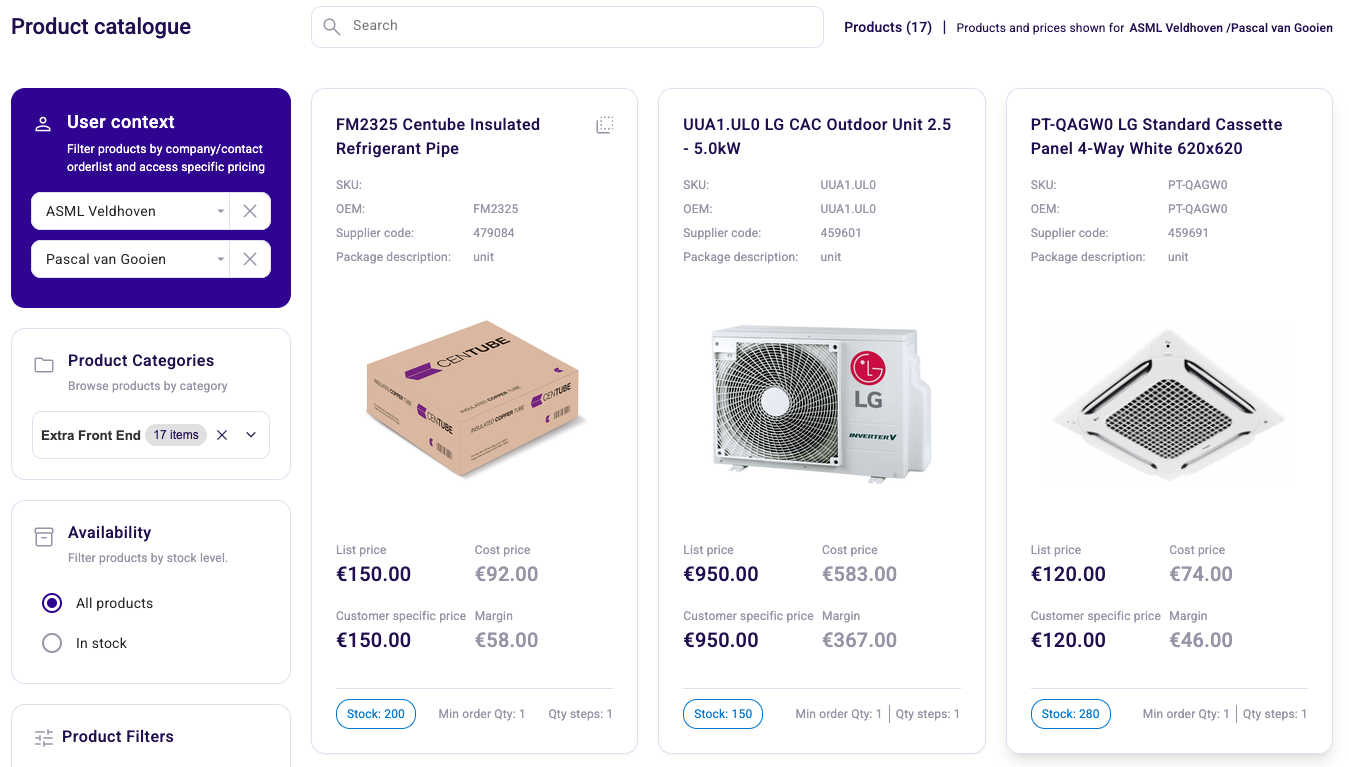
The product catalogue in the Sales Hub has a new Availability filter, so you can leave out everything that is not in stock. This release also keeps the action buttons on a ticket after you complete or archive it, lets you unarchive a ticket, puts the Workflows button on the Companies page and fixes a set of issues in Explain price, event actions and the Dutch labels.
New Features
- Filter the product catalogue by stock. The product catalogue has a new Availability filter. Pick All products to see everything, or In stock to leave out the products you cannot supply right now. A product counts as in stock from one piece onwards. Products without an inventory record count as zero, so they drop out of the In stock view.
- Action buttons on tickets of every status. In the Action Hub the action button on a ticket, for example Send Email, now shows for every status, including Completed and Archived. Until now the buttons disappeared once a ticket was archived, so you could not act on it any more.
- Unarchive a ticket. You can move an archived ticket back to Open and it keeps the person it was assigned to. On notification tickets the Unarchive button sits on the row itself. On action tickets you find Unarchive in the three-dot menu, in the same place as Archive.
- Start a workflow from the Companies page. The Workflows button is now also available on the Companies page in the Sales Hub.
Improvements
- Scroll the page with the Workflows panel open. You can scroll the page while the Workflows panel is open, so you can look something up without closing it first.
- Explain price uses the company and contact you selected. Explain price now takes the selected company and contact into account. Click Calculate to recalculate after you change the quantity, the company or the contact. When you change one of these, a message tells you to press Calculate, so you can see that the result on screen is not up to date yet.
- Template names in event actions. Event actions show the template name in your own language instead of the template ID.
- Filter options without results are hidden. Product filters no longer offer options that would return no products.
- Clearer contact selection. You can see that you have to pick a company before you can pick a contact.
- A bigger click area on the translate button. The translate icon next to a field is easier to click.
- No selection option without an action. A listing no longer offers you a selection when there is no action you can apply to it.
Bug Fixes
- Linking and unlinking products to a category works when you use select all.
- The action labels on the business rule listings are correct again.
- The Dutch label for videos reads "Video's".
- The product action labels are correct in Dutch and English: Delete, Move to category (max. 500), Link to category and Move into cluster.
- Clusters in the product catalogue show current data instead of a cached version.