Customizable listing columns and contact search
· 3 min read

This release redesigns the column editor across all listings, lets you add attributes as columns on the Companies listing and adds Remarks and References columns to the order, quote and request listings. It also brings search to the Contacts and Customers tabs, makes company search faster and fixes a set of issues in the product catalogue, pricing and order screens.
New Features
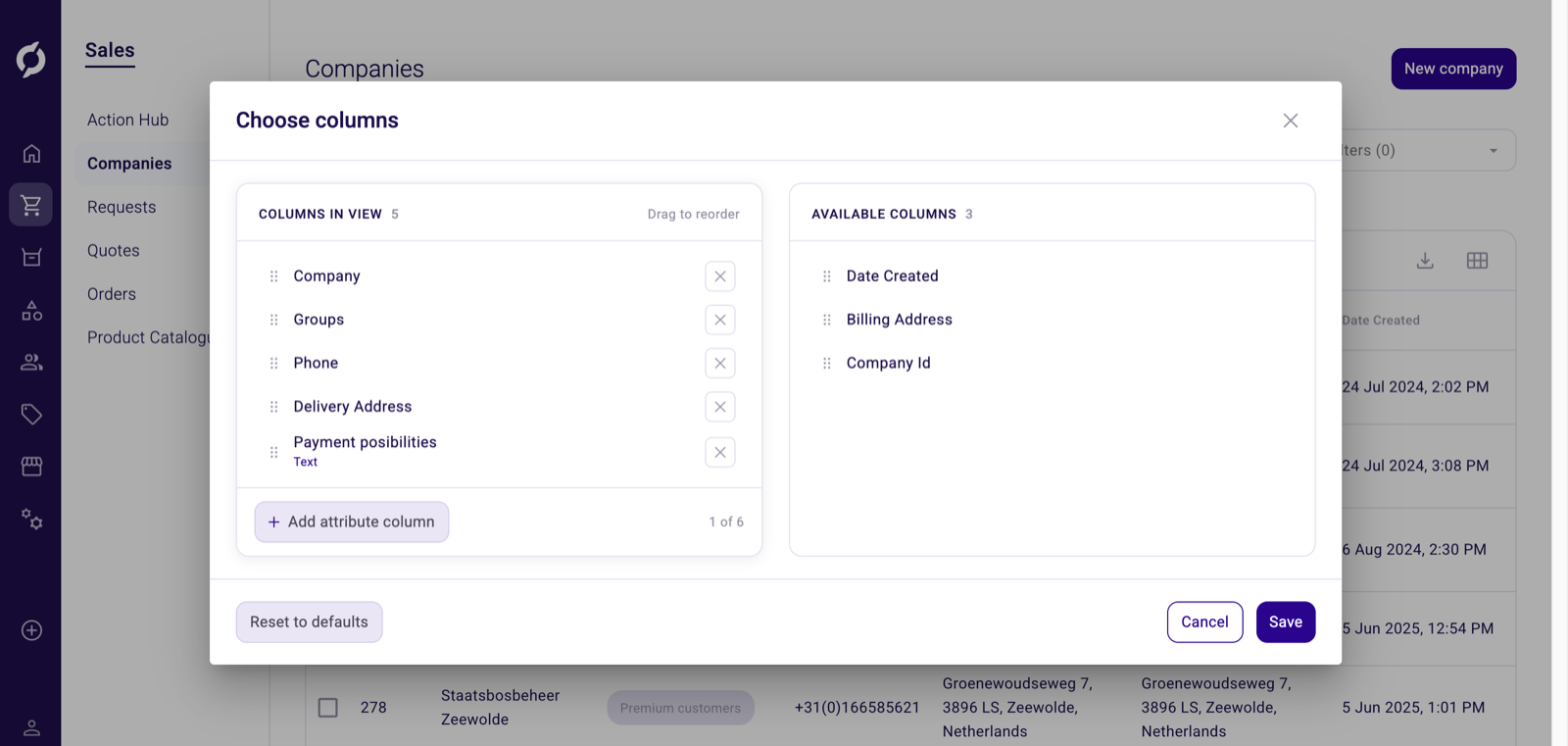
- Redesigned column editor. Every listing now uses a two-panel Choose columns dialog. Drag a column from Available columns to the exact spot you want in Columns in view, or use the plus and minus buttons to add and remove columns. You can move or hide any column, including ones that used to be fixed in place, and Reset to defaults brings back the standard layout.
- Attribute columns on the Companies listing. On the Companies listing you can click Add attribute column to show company attributes as extra columns. Pick attributes from a searchable list, drag them into position among the standard columns and remove them again from the dialog. You can add up to six attribute columns. Each value is shown in the format of its attribute type.
- Remarks and References columns. The order, quote and request listings have two new optional columns, Remarks and References, in both the Backoffice and the Sales Portal. Turn them on from Choose columns to see each row's remarks or reference without opening it. Long values are shortened in the listing.
- Search contacts and customers. The Contacts and Customers tabs under Users now have a search box with a field selector, the same as the Companies search. Type at least three characters to filter across the fields you choose. You can also search for a contact in more places, including the company detail view and the contact pickers on orders, quotes, price sheets and order lists.
Improvements
- Faster company search. Searching for companies on the Companies page and in the My Companies dropdown is now faster.
Bug Fixes
- Explain Price on the product Price tab now recalculates when you change the quantity.
- The product catalogue shows customer specific pricing again.
- You can select a contact again in the product catalogue dropdown.
- Product catalogue filters show the attribute description instead of the technical field name, and fall back to your default data language when a translation is missing.
- Product specifications appear again on the Sales Hub product detail page.
- API keys now show their created and updated dates in the listing.
- The order history list stays within the screen instead of stretching past it.
- Contacts created in the Backoffice no longer show "null" when they have no middle name.