Redesigned Category Management and Multilingual Backoffice
· 4 min read

Category management has been redesigned with per-channel trees, search, filters and drag-and-drop reordering. New screens for managing channels, a redesigned Settings page, a refreshed user menu and Dutch, French and German interface languages are also part of this release.
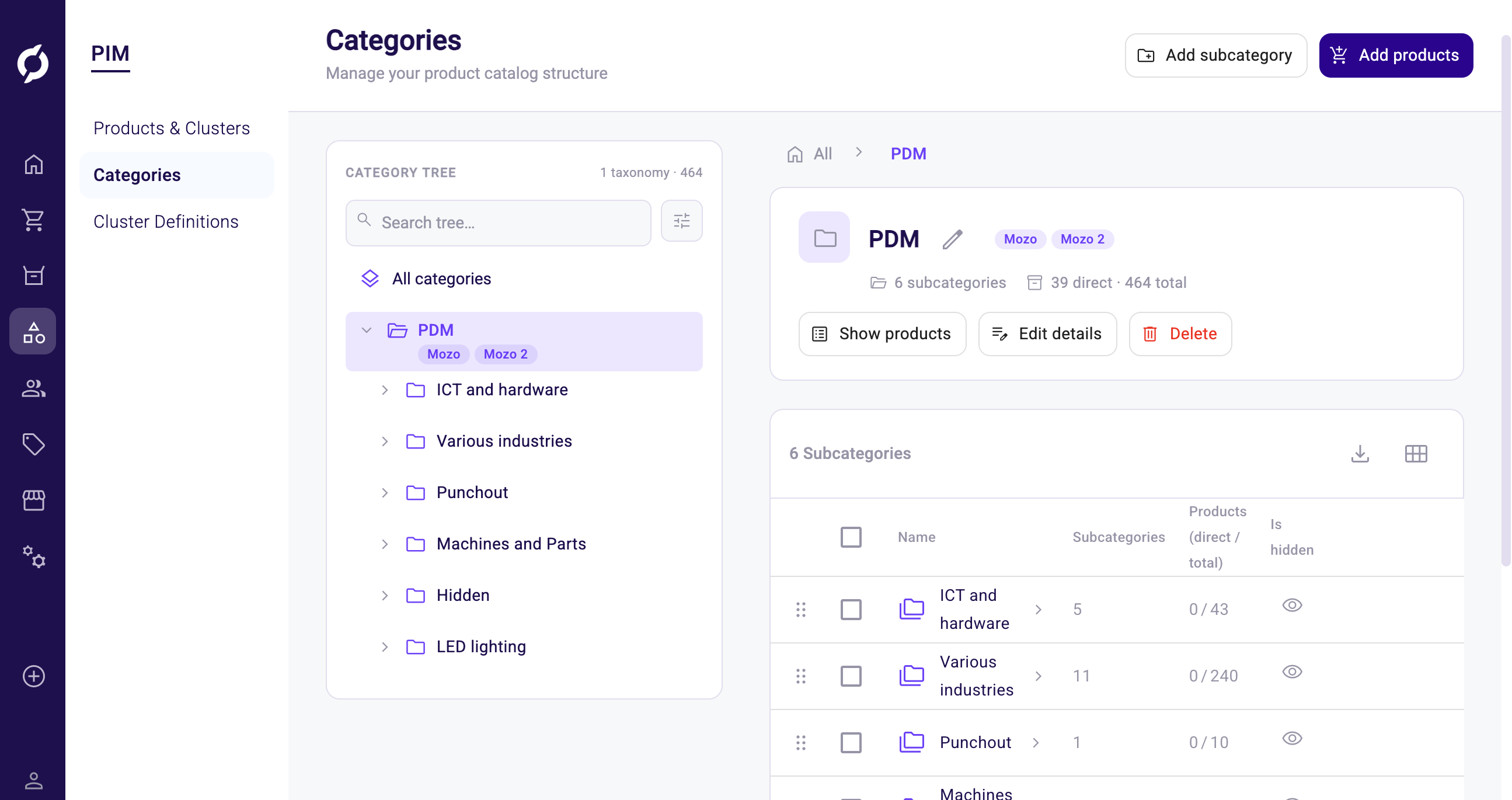
Redesigned Category Management
Category management has been rebuilt around a single screen. On the left you see the category tree, on the right the overview, details and the list of subcategories for whatever category you have selected.
- Per-channel category tree. Switch between channels to view and manage the category tree for that channel.
- Search with highlighted matches. Search categories by name and see matching text highlighted directly in the tree.
- Filter panel and shareable views. Apply category filters from a side panel and see active filters as labels at the top. Your filters are saved in the page address, so you can share or bookmark the view.
- Move or delete multiple categories at once. Select multiple categories to move them to another parent or delete them in one action.
- Drag and drop reordering. Reorder categories within their parent by dragging them in the tree or the subcategory list.
- Rename categories in place. Rename a category directly in the tree and provide a translation for each language.
- Manage root categories from the same screen. Create, rename and delete root categories without leaving the page.
- Load more for large trees. Categories with many children load on demand with a Load More button, so the page stays responsive.
- Hidden status visible in the overview. See at a glance which categories are hidden from the storefront.
The Back button on a category detail page now returns to the new Category Management page, and the tree refreshes automatically after you move a category.
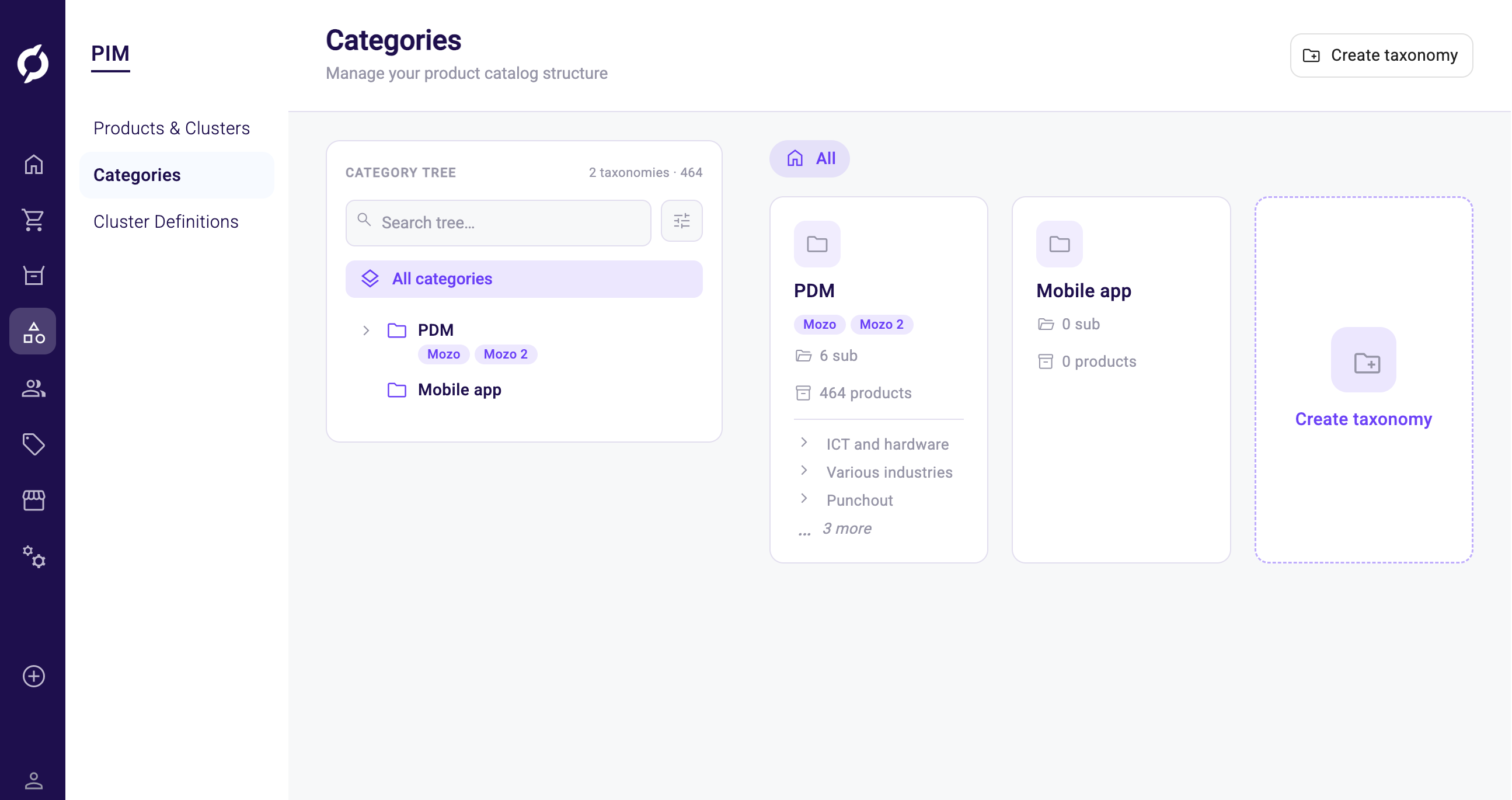
New Features
- New screens for managing channels. Create, edit and delete channels from new screens under Shop and Channels, with a consistent layout across all channel pages.
- Redesigned Settings page. The Settings page has been redesigned for clarity and consistency with the rest of the Backoffice.
- Pick the channel root as a category. You can now select the channel root when choosing a category for a product in PIM.
- Redesigned user menu and quick-create panels. The user menu and the quick-create panels in the top bar have a refreshed layout that makes common actions easier to find.
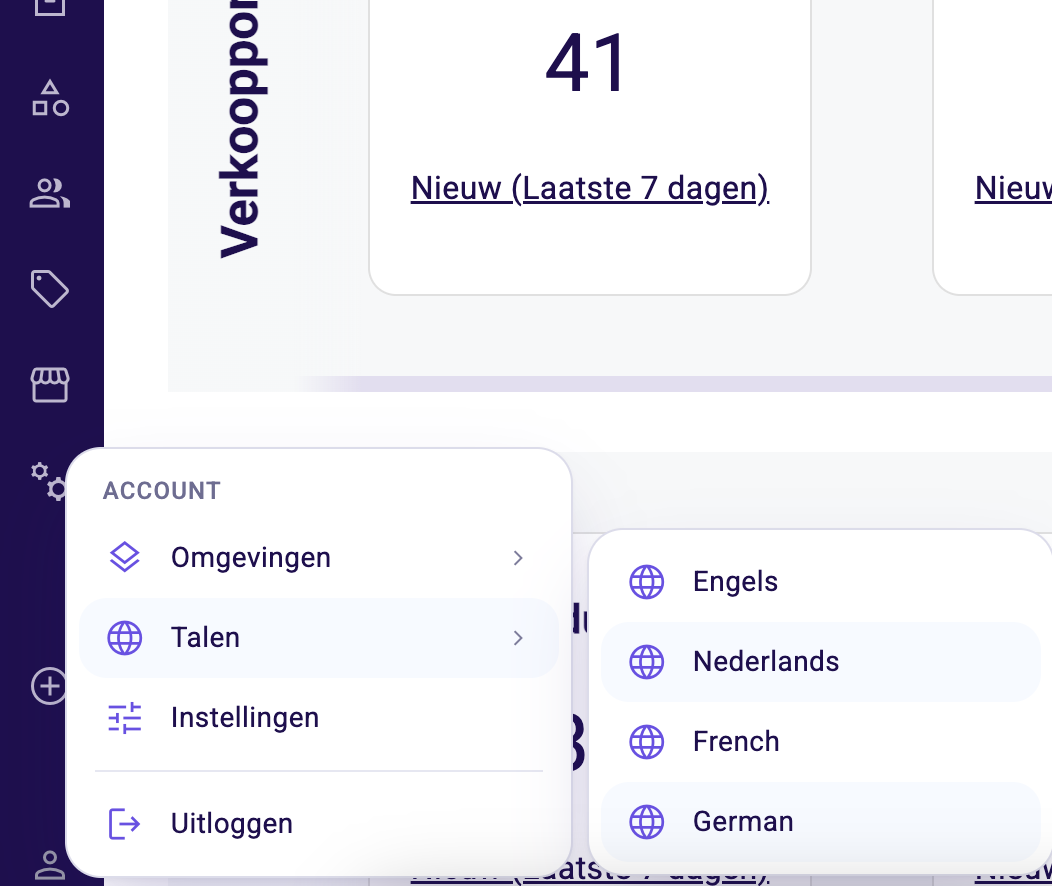
- Dutch, French and German interface languages. Until now the Backoffice was only available in English. Buttons, menus and labels can now also be shown in Dutch, French or German. Which of these appear in the language switcher depends on your tenant configuration.
Improvements
- Consistent channel page layout. The various channel pages now share the same layout and styling.
- Default category UI. The UI for setting a default category has more breathing room and is easier to scan.
- Translatable attachment template details. Attachment template details on the templates page can now be translated.
- Error feedback on CSV import. If a CSV data import request fails, an error toast now appears instead of silent failure.
Bug Fixes
- You can now create bundles again, and adding a bundle to a product no longer shows an error message.
- Empty bundles are no longer shown in the Sales Hub.
- Quote validity visuals now display as expected on the quote.
- Product descriptions stay visible after you switch between tabs on a product.
- Company navigation now works consistently across the section.
- Removing a cluster product option no longer deletes the underlying product.
- The Attributes tab on a product now shows product attributes instead of category attributes.
- You can now create a REST API key without errors.
- The product listing no longer resets after you update an attribute, and your search term is preserved.
- The product listing UI no longer breaks when there are no products.
- The Create account button is enabled once a contact or customer has been created.
- The filter button label on category filtering in PIM is now correct.
- The Backoffice no longer prompts you to save changes when nothing has changed.
- Pricesheet filtering now works.
- The basket item count includes products inside clusters.
- You can now navigate to Explain Price from the product price tab.
- Rejected quote requests no longer appear in the quote request listing.