Abandoned carts worth a call
Every Monday this workflow picks up to 3 valuable carts that customers left behind and creates a ticket in the Action Hub for each one, so a sales rep can call the buyer before the sale is lost. A cart is never flagged twice for the same abandonment.
Runs: Outside Propeller · Trigger: Schedule · Difficulty: Medium
What you need
- An n8n account. See Set up n8n.
- A Propeller API key that can read carts, orders and contacts and can create tickets. Creating tickets needs the Order Data role at Editor level. See API Keys.
- The Action Hub, where the tickets land.
How it works
Every Monday at 08:00 the workflow looks at open carts that belong to a company, have not changed for 3 to 30 days and are worth at least €250 excluding tax. It picks the 3 most valuable, at most one per company. It skips a cart when:
- it was flagged before and has not changed since
- its company got a ticket from this workflow in the last 28 days
- its buyer placed an order in one of the statuses in
ORDER_STATUSESafter the cart was last changed
The workflow remembers what it flagged through the tickets it created, so completing or archiving a ticket does not bring the cart back.
What you get
Each ticket shows the buyer's name, email and phone number, the cart value excluding tax, how many days the cart has not changed and its 3 most valuable products. Its View company button opens the company page, and the ticket is assigned to the Backoffice user you pick in the Settings node.
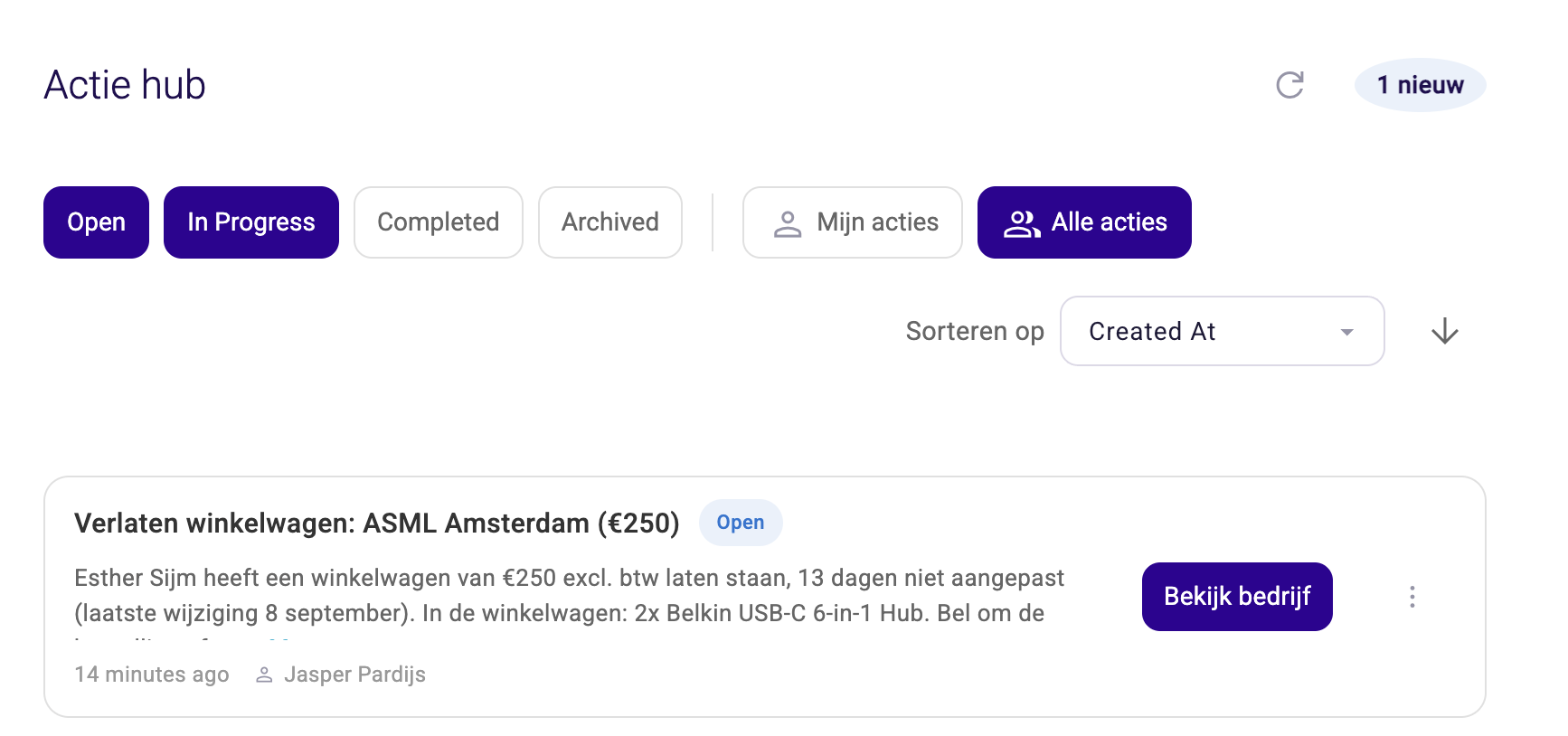
Texts are in English and Dutch. The English version reads like this:
Abandoned cart: Example B.V. (€2,853)
Sam Jansen left a cart worth €2,853 excl. tax, untouched for 4 days (last change 17 September). In the cart: 3x Heater HT-350. Call to help them complete the order: sam@example.com, +31600000000. Picked from 435 open carts idle 3 to 30 days.
When no cart qualifies, no tickets are created.
Install it
- In n8n, import the downloaded JSON as a new workflow.
- Create a header auth credential with your Propeller API key and select it on all six GraphQL nodes.
- In the Settings node, set
ASSIGN_TO_ADMIN_USER_IDto the user who should get the tickets. You find the number in the Id column under Admin > Backoffice Users. Left atnull, tickets are unassigned and anyone can pick them up under All Actions. - Run the workflow once manually and check the Action Hub. A test run creates real tickets. The carts it flags count as flagged from then on.
- Activate the workflow.
In n8n, create a credential of type Header Auth and fill in its two fields exactly like this:
| Field | What to fill in |
|---|---|
| Name | apiKey |
| Value | Your Propeller API key |
Name is not a title you pick yourself. It has to say exactly apiKey, otherwise the workflow cannot sign in. See Set up n8n for the full steps.
Make it yours
All settings sit in the Settings node.
| Setting | Default | What it does |
|---|---|---|
MIN_IDLE_DAYS | 3 | Days without changes before a cart counts as abandoned |
MAX_IDLE_DAYS | 30 | Carts unchanged for longer are left out |
MIN_VALUE | 250 | Carts worth less, excluding tax, are left out |
TOP_N | 3 | Tickets per run, one per company |
COMPANY_COOLDOWN_DAYS | 28 | Days before a company can get a new ticket |
ASSIGN_TO_ADMIN_USER_ID | null | Backoffice user who gets the tickets |
ORDER_STATUSES | NEW, CONFIRMED, VALIDATED, ARCHIVED | Order statuses that count when the workflow checks whether the buyer ordered after the cart was last changed. Which statuses to include depends on how your team uses order statuses |
API_URL | Propeller API | Change it only to use another environment (also called a tenant) |
- When it runs: change the schedule in the Every Monday 8am node.
- Ticket texts: edit them in the Build Tickets node. Amounts are shown in euros.
- Leave alone:
PAGE_SIZE,MAX_PAGESandSOURCE_NAME. A newSOURCE_NAMEmakes the workflow forget every cart it flagged.
Limits
Propeller calculates the price of every cart the workflow reads, so it reads carts in small batches and a run can take long. On a test environment, reading 429 open carts took between 7 and 26 minutes. A page of carts that cannot be read is skipped and mentioned on the tickets.
A run checks at most 5,000 carts, most recently changed first. When a run reaches that limit, the tickets say so.
A run that takes longer than two hours is stopped and shows as canceled in the n8n executions list.
Use it outside n8n
Copy the JSON into an AI assistant and follow Adjust a workflow with an AI assistant.
The workflows and agents in the Agent Hub are free to use and adapt. They are examples, not supported product features, so test them in a staging environment and check the results before using them in production.
Related pages
- Action Hub
- Expiring quote follow-ups - another workflow that creates follow-up tickets
- How workflows connect to Propeller